Draw layered architecture diagrams in your domain’s own elements
Usually an architect or a tech lead, for a system the team designs or explains
Draw your architecture in your domain’s element types, in layers a reader drills into, by hand, in chat or through MCP, and share it as a link or an embed.
The problem
Most architecture diagrams are boxes and arrows in a general drawing tool. A box might be a queue, a team or a bounded context, and only its author knows which. Everything sits on one canvas, so the picture tries to answer every question at once and answers none of them well. When someone asks to see it, you send an image that is out of date before the meeting starts.
What you want is a diagram in the elements your domain already uses, laid out in layers a reader opens one question at a time, built whichever way suits you that day, and shared as a link that stays the real thing.
How it goes
The same steps the product’s playbook walks. Each one shows the screen at that moment.
Pick your domain’s elements
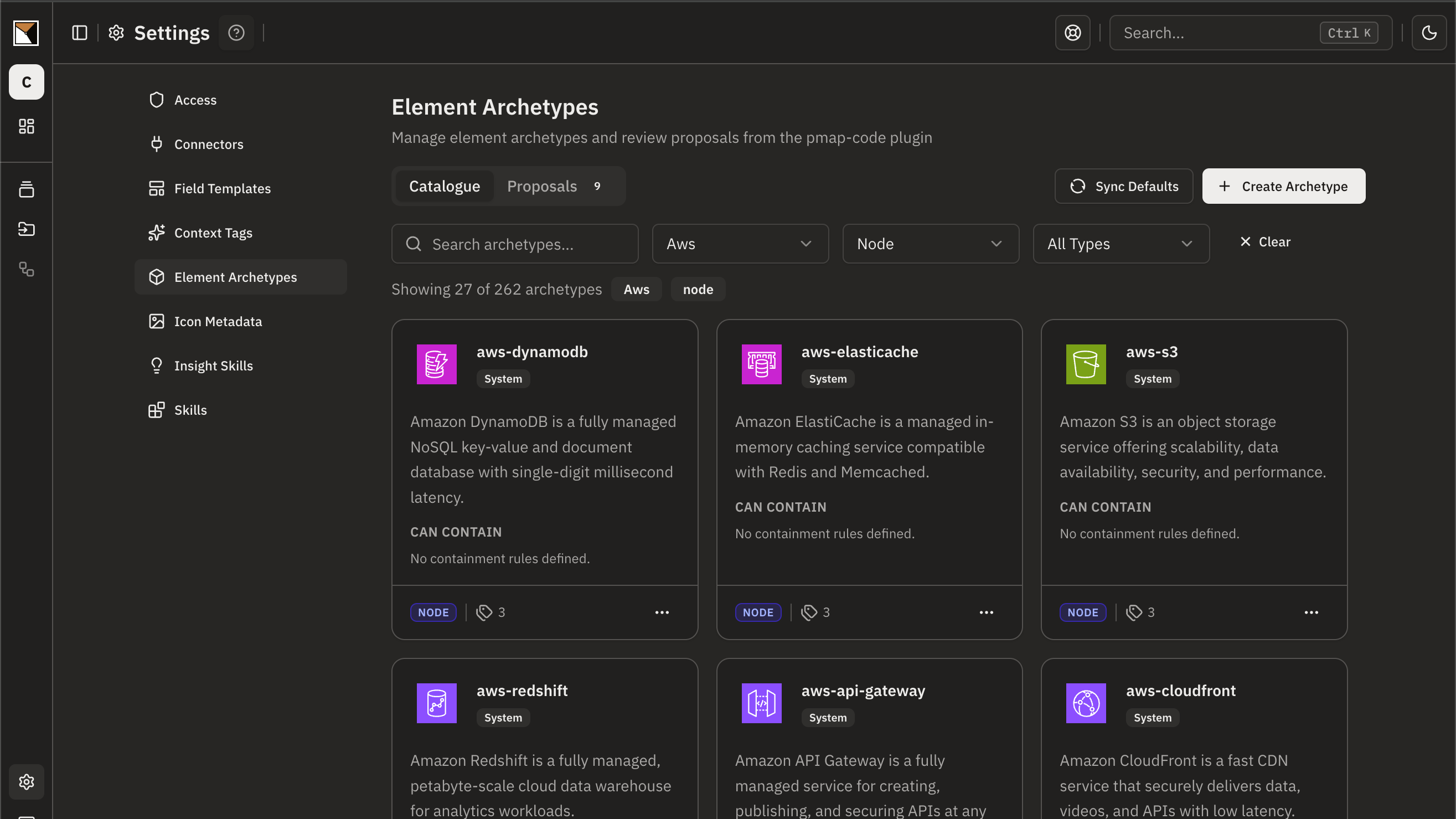
Start from the shipped element types: AWS, Azure, Google Cloud and Vercel, C4, domain-driven design’s bounded contexts and aggregates, AI agents and their tools, databases, and providers such as Stripe and Auth0. Where nothing fits, create your own type with its fields, shape, colour and icon.
Compose it your way
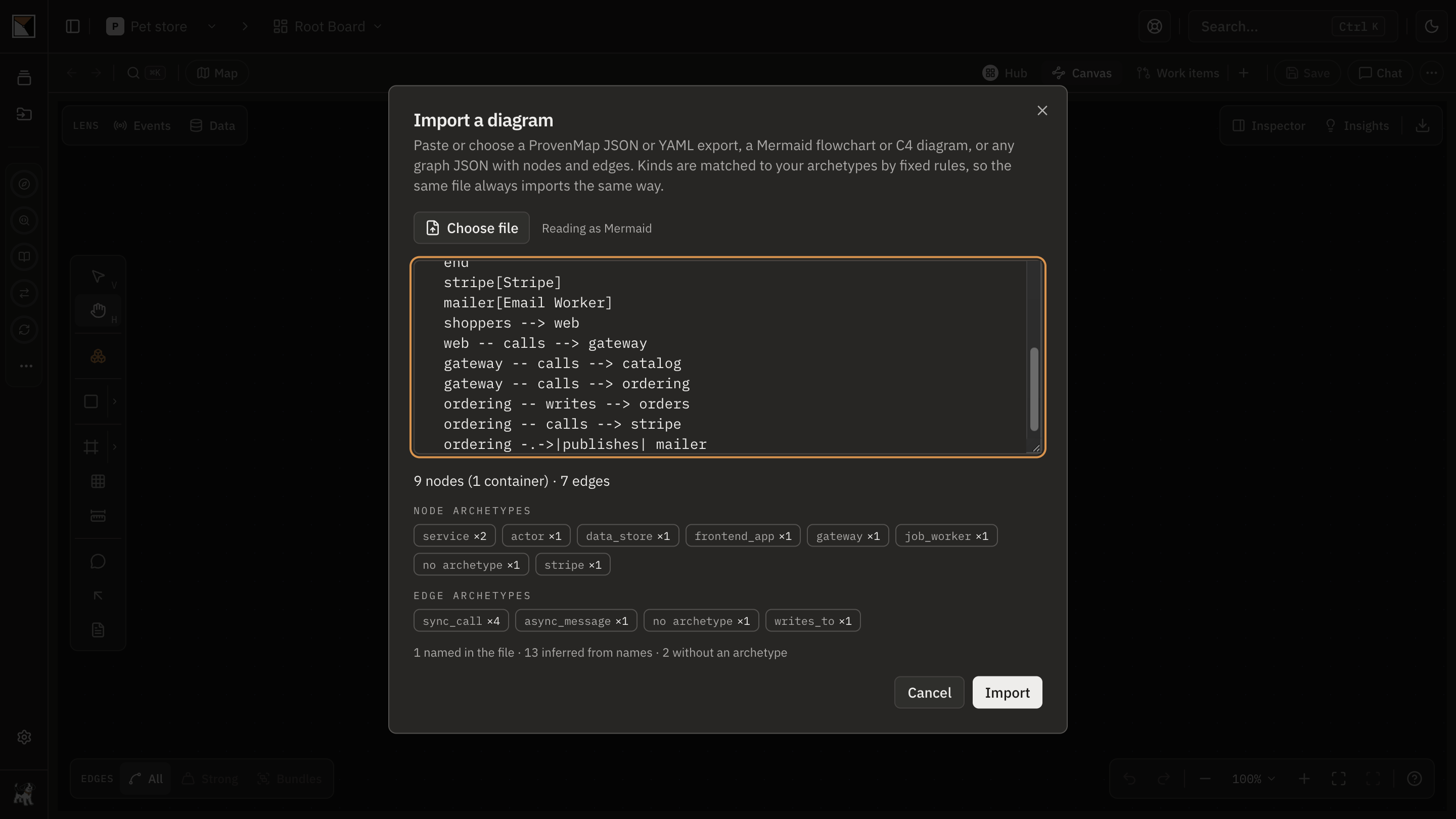
Drag elements onto the canvas and connect them, or import a Mermaid or C4 diagram and have each element matched to your types. Ask chat to draw or change the board, or let Claude Code, Codex or any MCP client build it with nobody in the browser. All four work on the same board.
Open each box into a layer
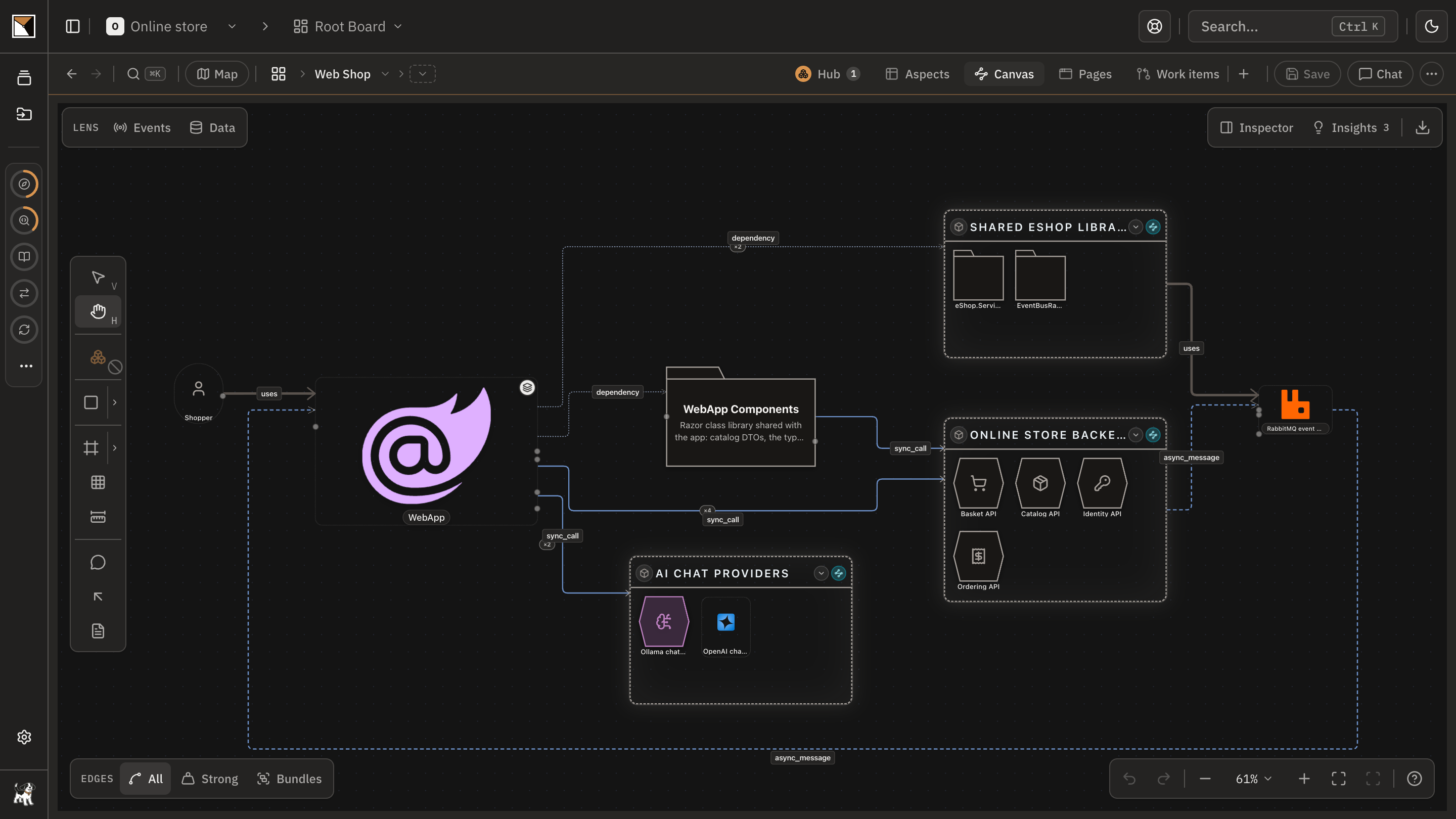
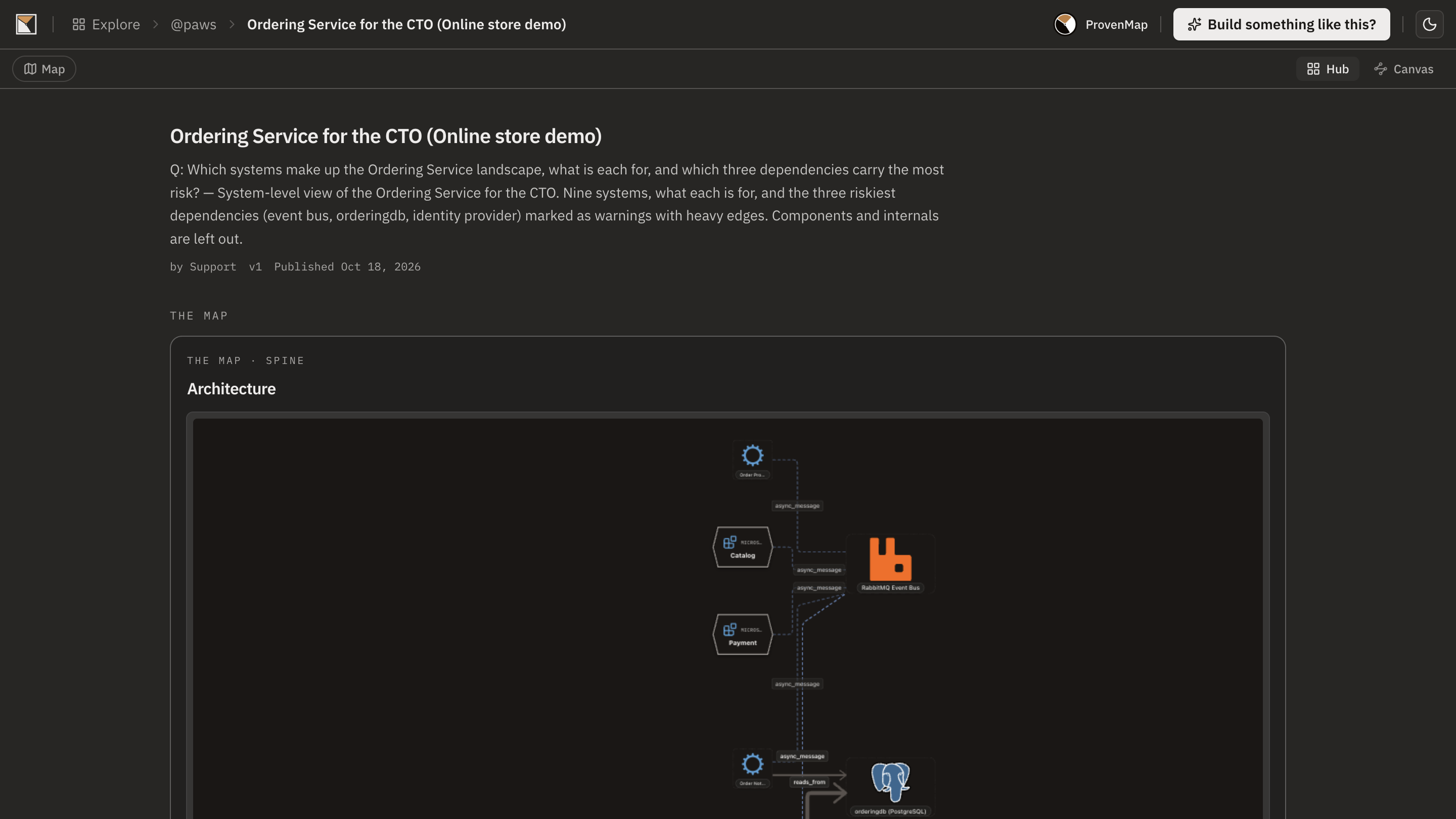
Any node opens into a board of its own: the landscape at the top, each system beneath it, its subsystems below that. Each layer answers one question, and a reader drills down only as far as they need.
Make it read well
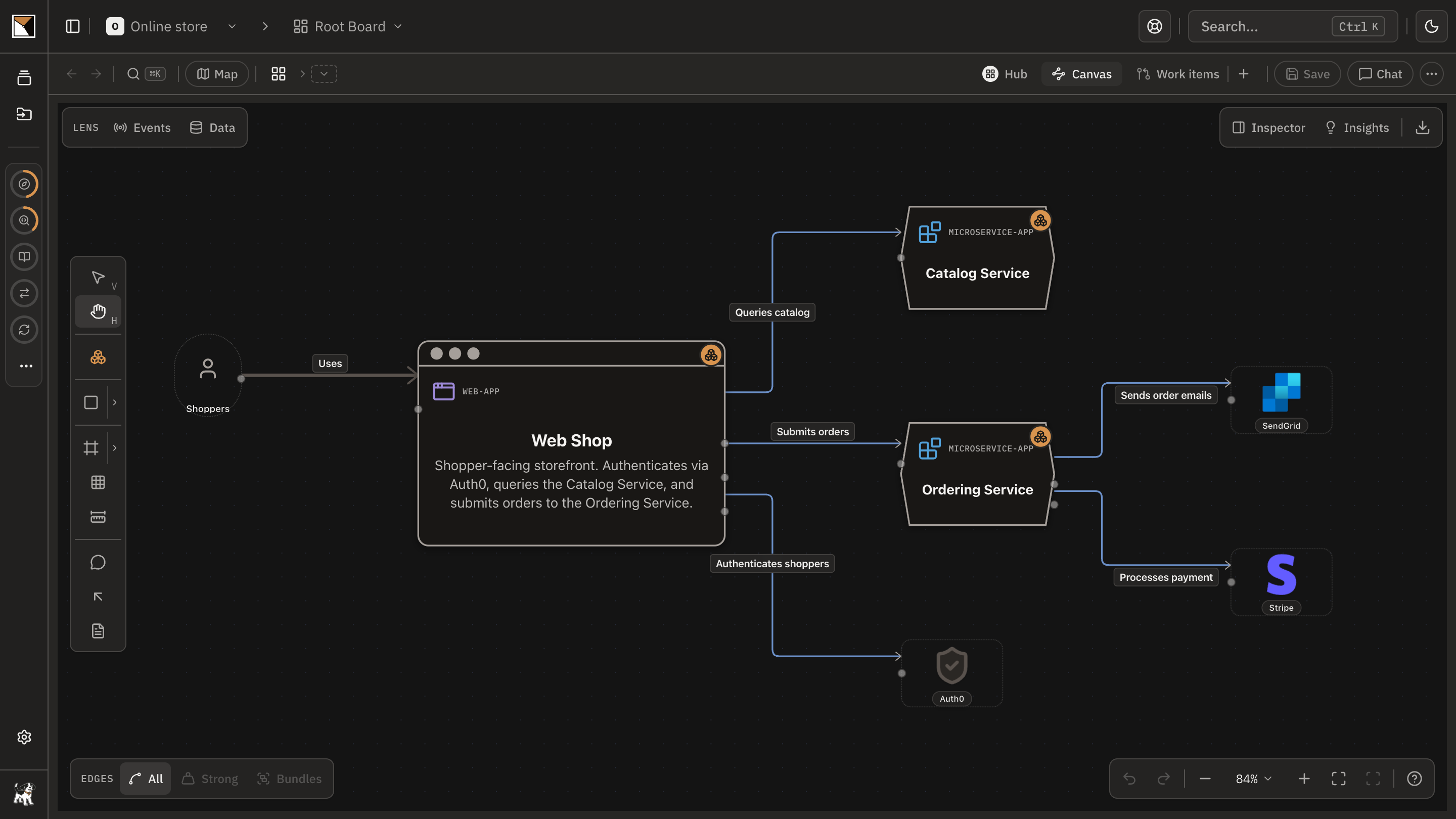
Every element of a type looks the same on every board. On a dense layer, the edge lens keeps the strong connections or bundles them by container; the style painter, icons and auto-arrange tidy the rest.
Share it
Publish it as a read-only, interactive board: public, unlisted, protected by a share token and a password, or open only to your organisation’s single sign-on. Embed it in a wiki or an internal page, and republish when the picture moves.
- Done
End proofDone when the diagram is drawn in your domain’s elements, layered, and open to its readers as a link or an embed in their wiki.
Works with
- Element types
- The shipped library, filtered by stack, plus the types your organisation creates. The code plugin proposes types it finds in your code, and an admin decides which join.
- Ways to draw
- The canvas, Mermaid and C4 import, chat in the web app, and the workspace plugin or any MCP client with a read and write token.
- Layers
- Any node can hold a board of its own, and a layer can hold layers. Most trees use three levels: landscape, system, subsystem.
- Sharing
- Public and unlisted on every plan, a share token and password from Pro, your organisation’s single sign-on from Team. Readers need no account.
Where it stops
- A published board is a snapshot of what you included. Readers see a change once you republish.
- A board you draw is as current as its last edit. To keep a system’s board current with its code, bind its repository and let the code plugin sync it.
- A board open only to your organisation’s single sign-on cannot be embedded, because the sign-in cannot finish inside another page.
- Mermaid export leaves out layout and colours, and an export covers the layer you are on, not the layers beneath it.
- Chat works one bounded turn at a time. A large redraw across many boards belongs in the workspace plugin.
Why not a diagram, or a code browser
A diagram shows
Shapes that mean what their author remembers, one flat canvas that tries to answer every question, and an image you send that is out of date by the next meeting.
A code browser shows
Files and folders, with nothing to draw and nothing a reader outside engineering will open.
ProvenMap shows
Typed elements in your domain’s terms, layers a reader opens one question at a time, drawn by hand, in chat or by an agent, and shared as an interactive board or an embed.
Walk through it
- The docs walkthrough of this job is being written.
The features behind it
Start with one system
Map a real system and see the architecture around it.
Open one repository and run the code plugin. No migration, no rollout, no diagramming.
No credit card · Analysis runs locally in your own session · Self-hosted available
See the four commands to your first board →
Or for writing on architecture that stays connected across systems.