Explain software architecture to non-engineers
Usually an architect, for a CTO, a product manager or operations
One board drawn for the person who has to understand it, published as a link they open without an account, and a run that ends when they say it landed.
The problem
The people you report to do not read code, and the diagram you would show them was drawn for engineers: every component, every internal, nothing about what matters to them. So the meeting becomes you explaining a picture, and the picture goes stale the week after.
What they need is one view drawn for their question, current, and theirs to open on their own.
How it goes
The same steps the product’s playbook walks. Each one shows the screen at that moment.
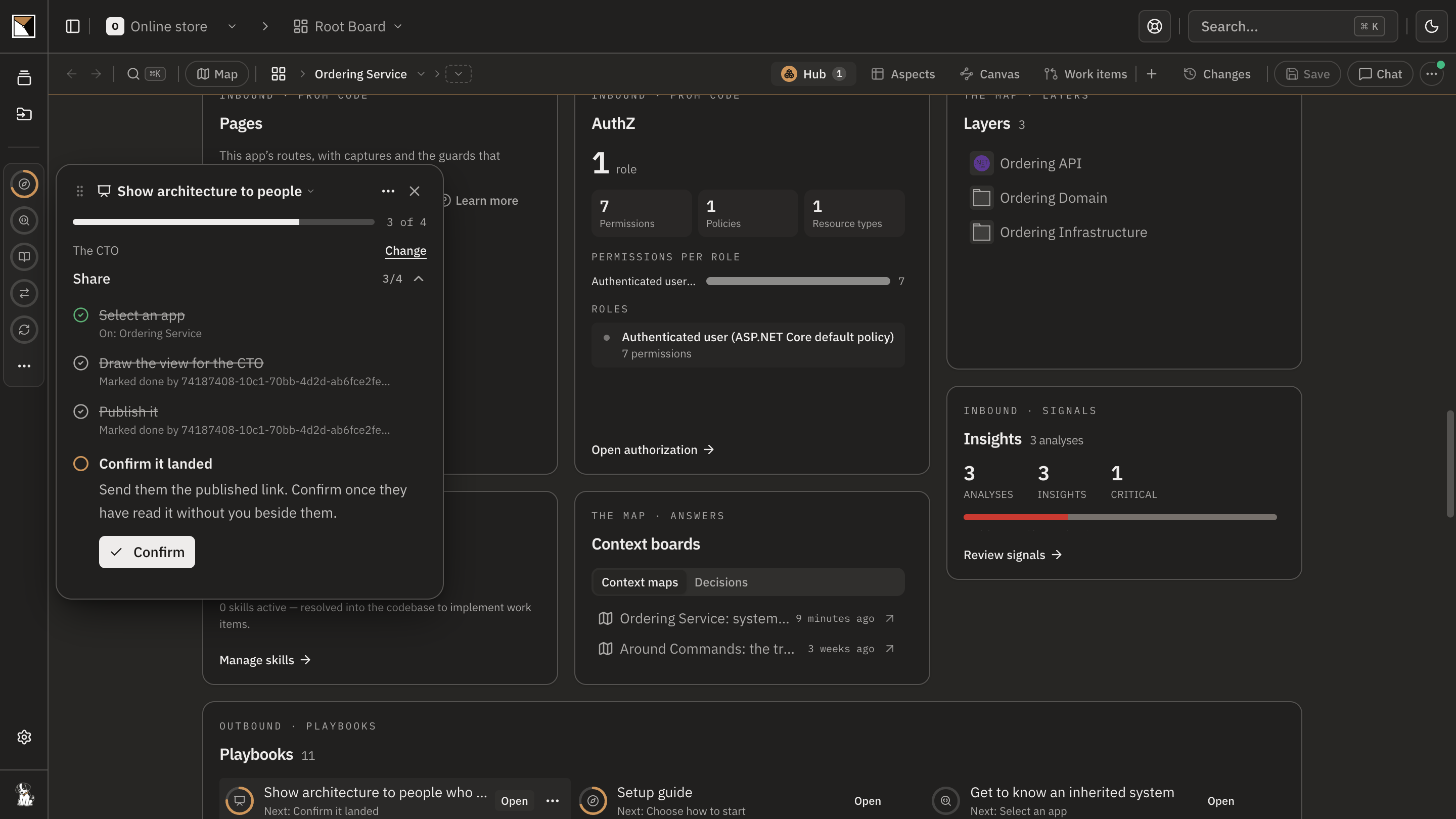
Pick the audience
The playbook asks who needs to understand this system: the CTO, a product manager, or operations. Each audience has its own question to draw from: the riskiest dependencies for a CTO, the surfaces and what sits behind each for product, what runs where and fails first for operations.
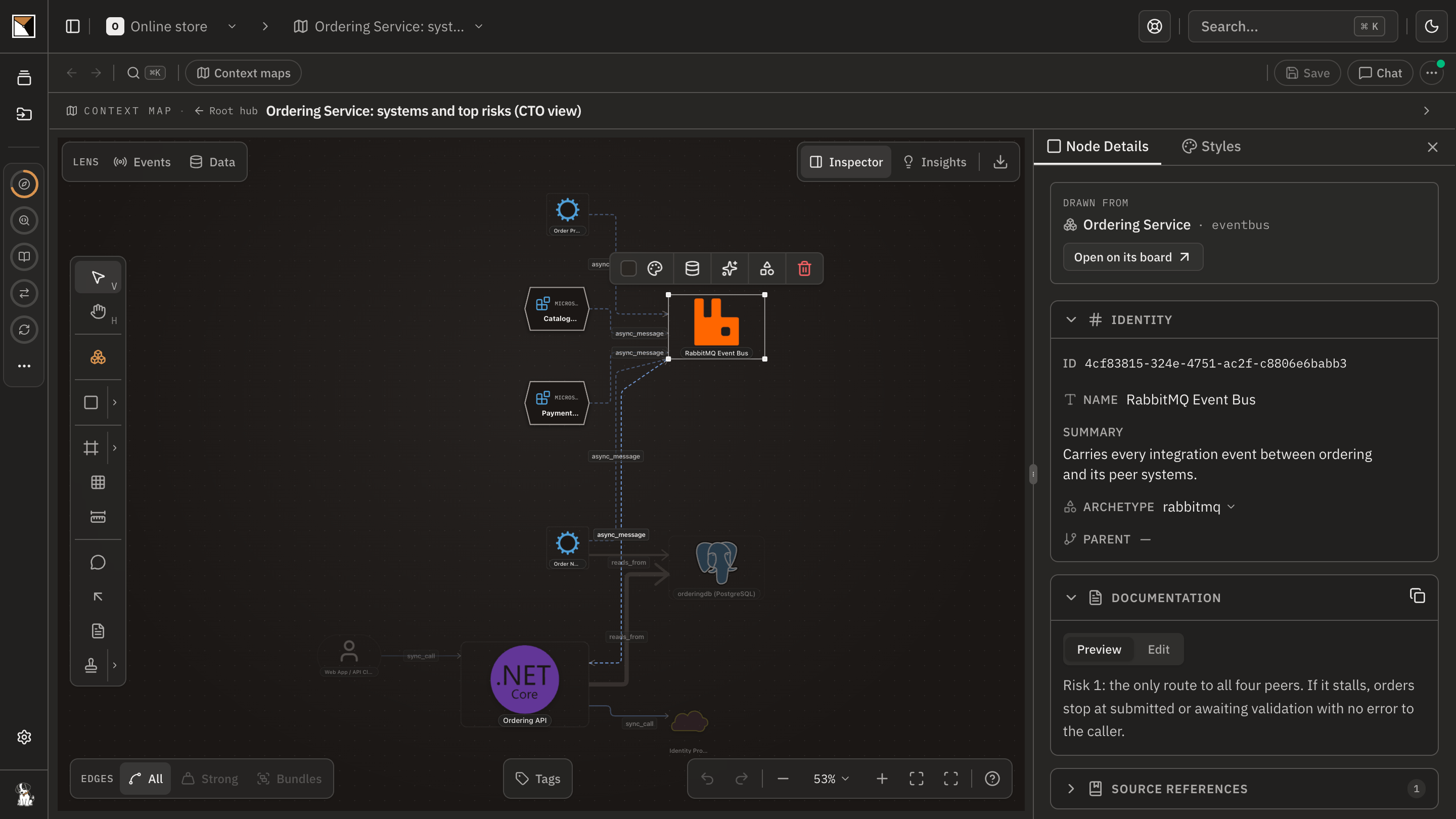
Draw it for them
Chat draws a new board for that audience from the real one: the systems, what each is for, and only the detail that audience needs. Every element carries where it came from on the board the engineers work from.
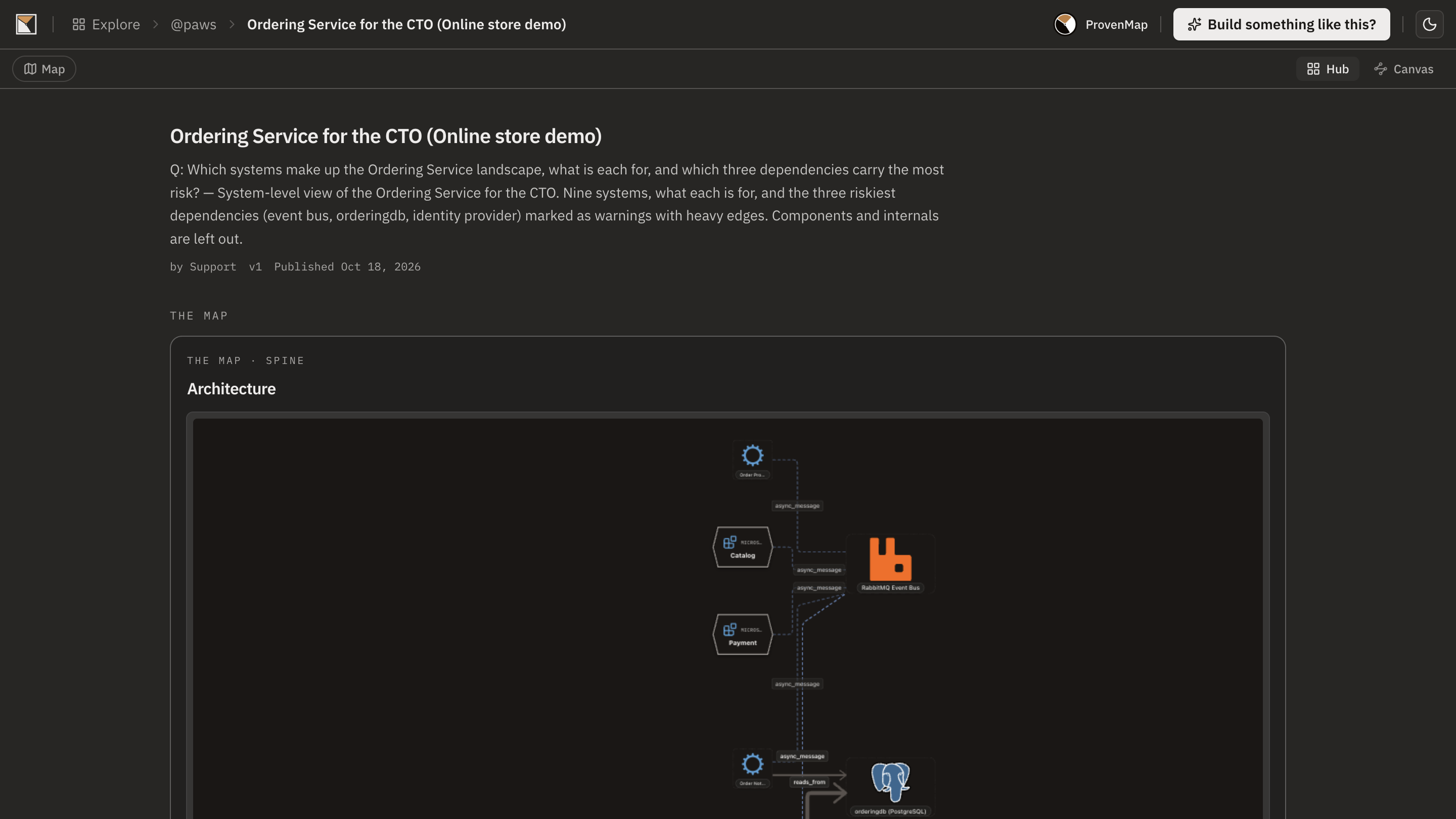
Send the link
Publish it: public, unlisted, or protected by a token or a password. The reader opens a read-only, interactive board without an account, a snapshot of what you chose to include.
Confirm it landed
The run ends on the person. Once they have read it without you beside them, confirm it, and the step reads Acknowledged with who and when.
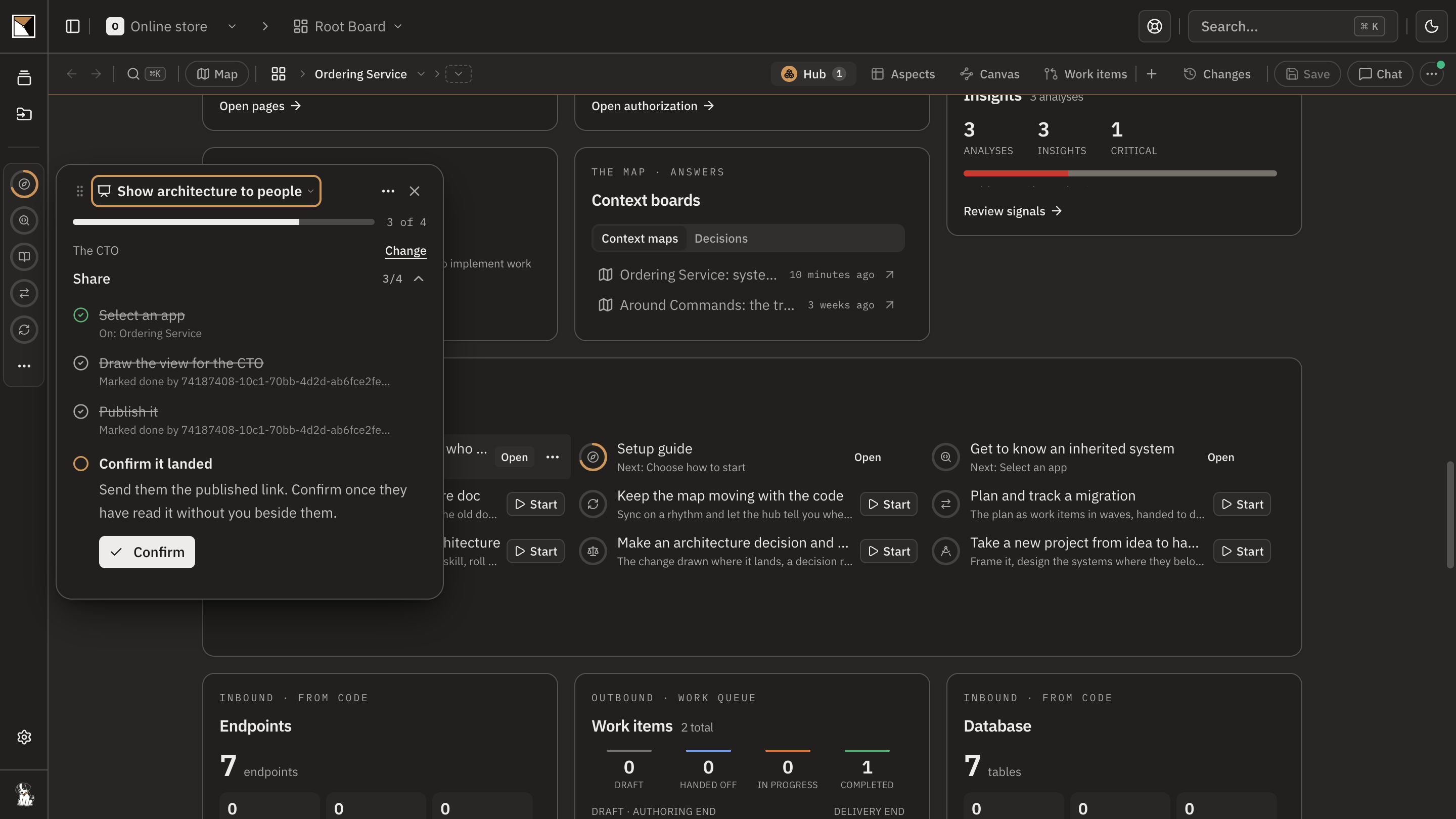
- Acknowledged
End proofDone when they confirm they opened the link and understood it without you explaining it alongside.
Works with
- Boards
- Any app board or landscape the code plugin keeps current; the audience's board is drawn from it and stays linked to it.
- Chat
- Draws the audience's board from the playbook's question, with the write tools bound to the thread.
- Publishing
- Public, unlisted, token, password, or your organisation's SSO; the directory listing is off until you turn it on.
- Readers
- No account needed. A published board is a snapshot; republish when the picture should move.
Where it stops
- A published board is a snapshot of what you included, not a live view; work items and source bindings are never published.
- Chat draws from what the board holds. A system nobody mapped is not on the picture.
- The acknowledgement is a person's word, recorded with their name and the day; the product cannot see that someone understood.
Why not a diagram, or a code browser
A diagram shows
One drawing for everyone, so it is wrong for each of them, and a slide someone redrew by hand from the real one, a week out of date.
A code browser shows
Nothing a CTO or a product manager will open.
ProvenMap shows
One board per reader, drawn from the real one in their words, published as a link they open alone, with the run recording that they understood it.
Walk through it
- The docs walkthrough of this job is being written.
- In the product this job runs as the playbook Show architecture to people who aren’t engineers. The board ticks each step when what it asked for exists.
The features behind it
Start with one system
Map a real system and see the architecture around it.
Open one repository and run the code plugin. No migration, no rollout, no diagramming.
No credit card · Analysis runs locally in your own session · Self-hosted available
See the four commands to your first board →
Or for writing on architecture that stays connected across systems.