Give AI coding agents reliable architecture context
Usually an architect or a tech lead, for every developer and their agent
The conventions compiled into the repository as files the agent loads, the change handed over anchored to its code, and a sync that checks what it built.
The problem
A coding agent starts every session from nothing. It reads the files in front of it, guesses the conventions from what it finds, and does not know that the endpoint it is about to change is called by another team's service. So the team pastes the same context into prompts again and again, and every session gets a different version of it.
What the agent needs is not more prompt. It is the architecture the team already agreed, in files the agent reads on its own, and a record of what it was asked to change so that someone can check it did.
How it goes
The same steps the product’s playbook walks. Each one shows the screen at that moment.
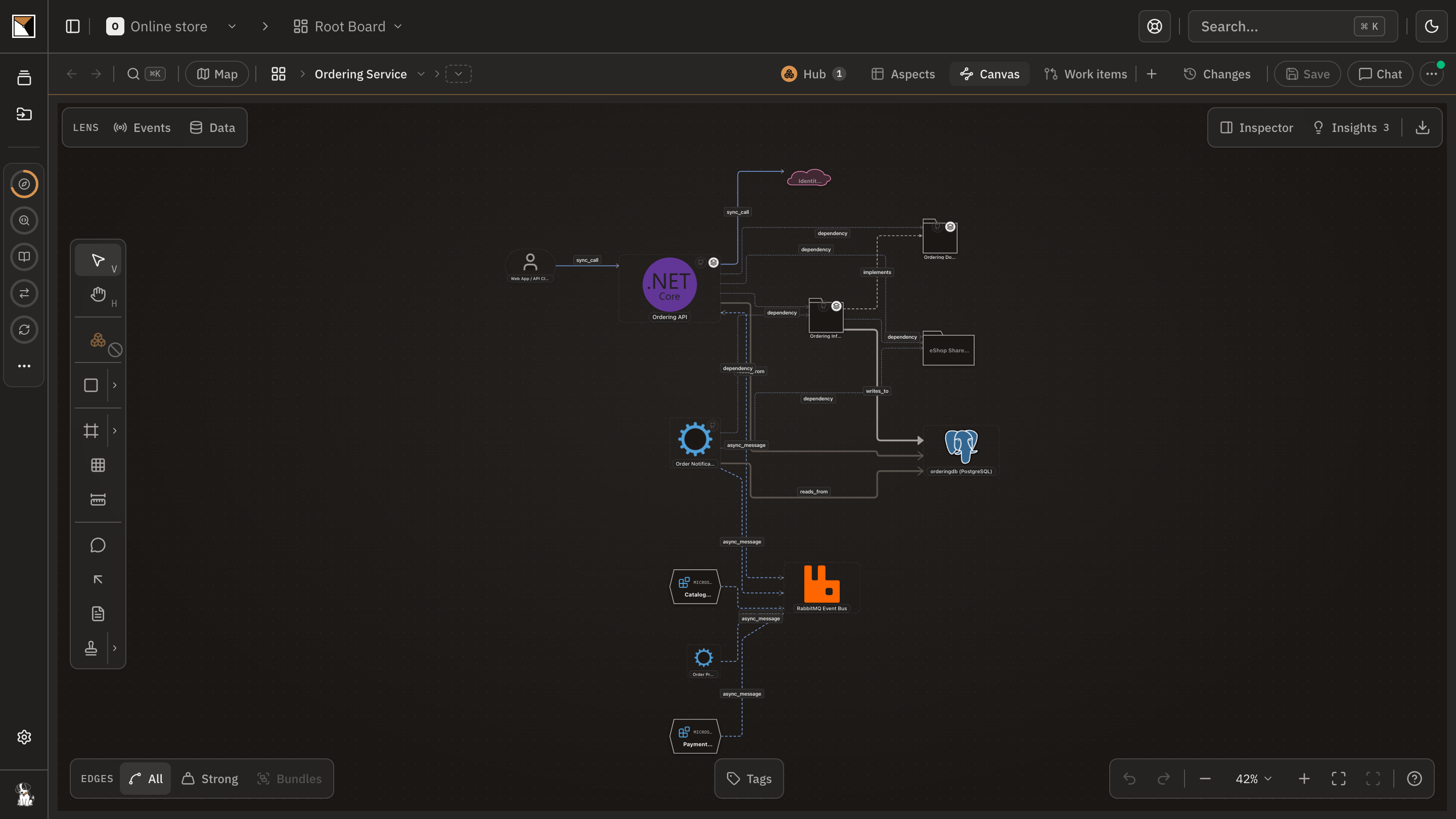
Map the repository once
The code plugin analyses the repository on your machine and draws the app board from it. The next sync keeps the board current, so the context the agent gets is read from the code as it is, not from a document that drifted.
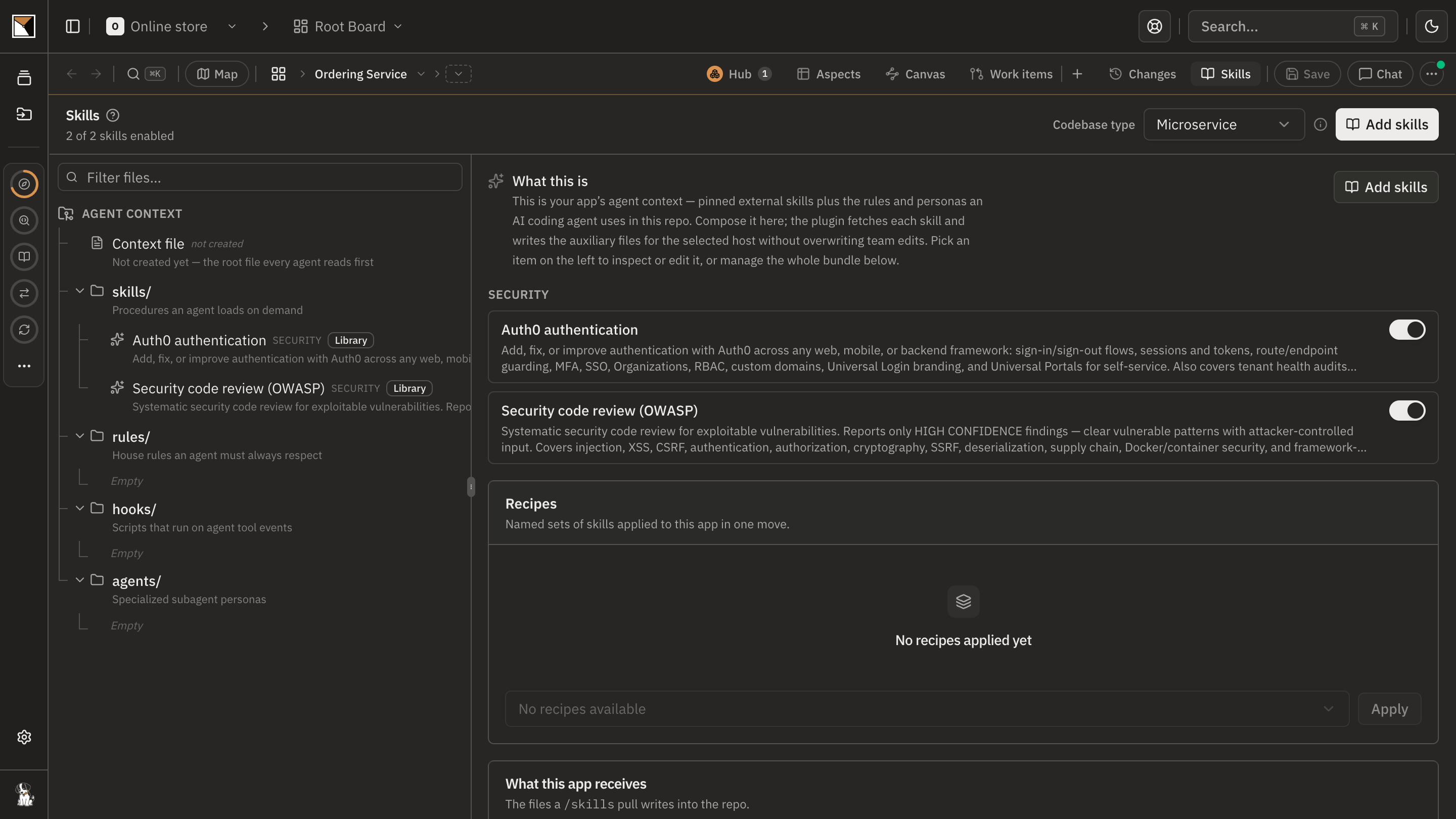
Compose the skills on the board
Pick the recipes and skills that fit the app's stack, from the library or your organisation's own, with their settings. The board holds the conventions, the operating knowledge and the reference material an agent should load.
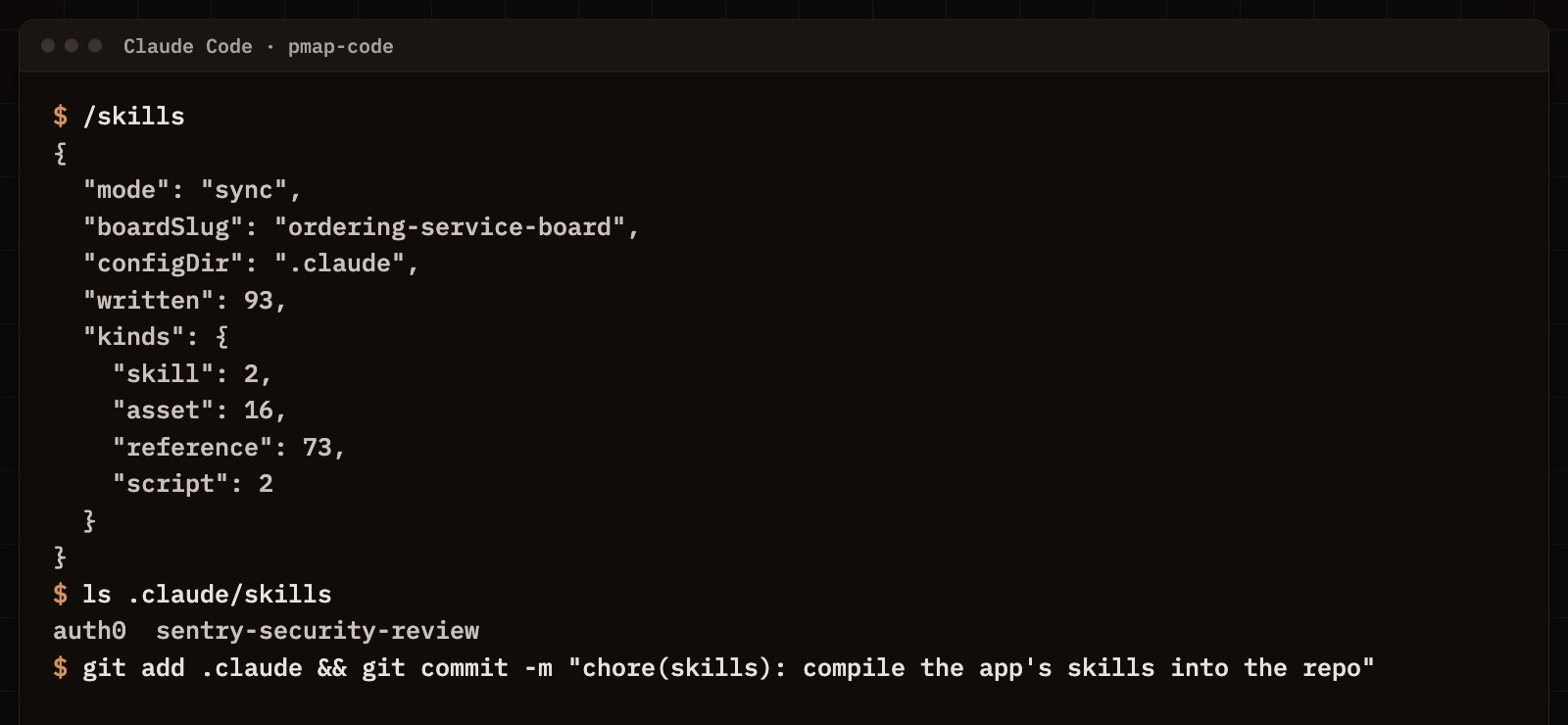
Compile them into the repository
One command writes the skills into the repository as the files the agent's host reads natively, with their references and scripts, and a lock that keeps the edits your team made. Commit them, and every session and every host shares them.
Hand the work off with its anchors
A work item names the elements it concerns. The developer pulls it into their coding session, where the agent reads the files behind those elements, what depends on them and the nearby tests before it proposes a plan for a person to approve.
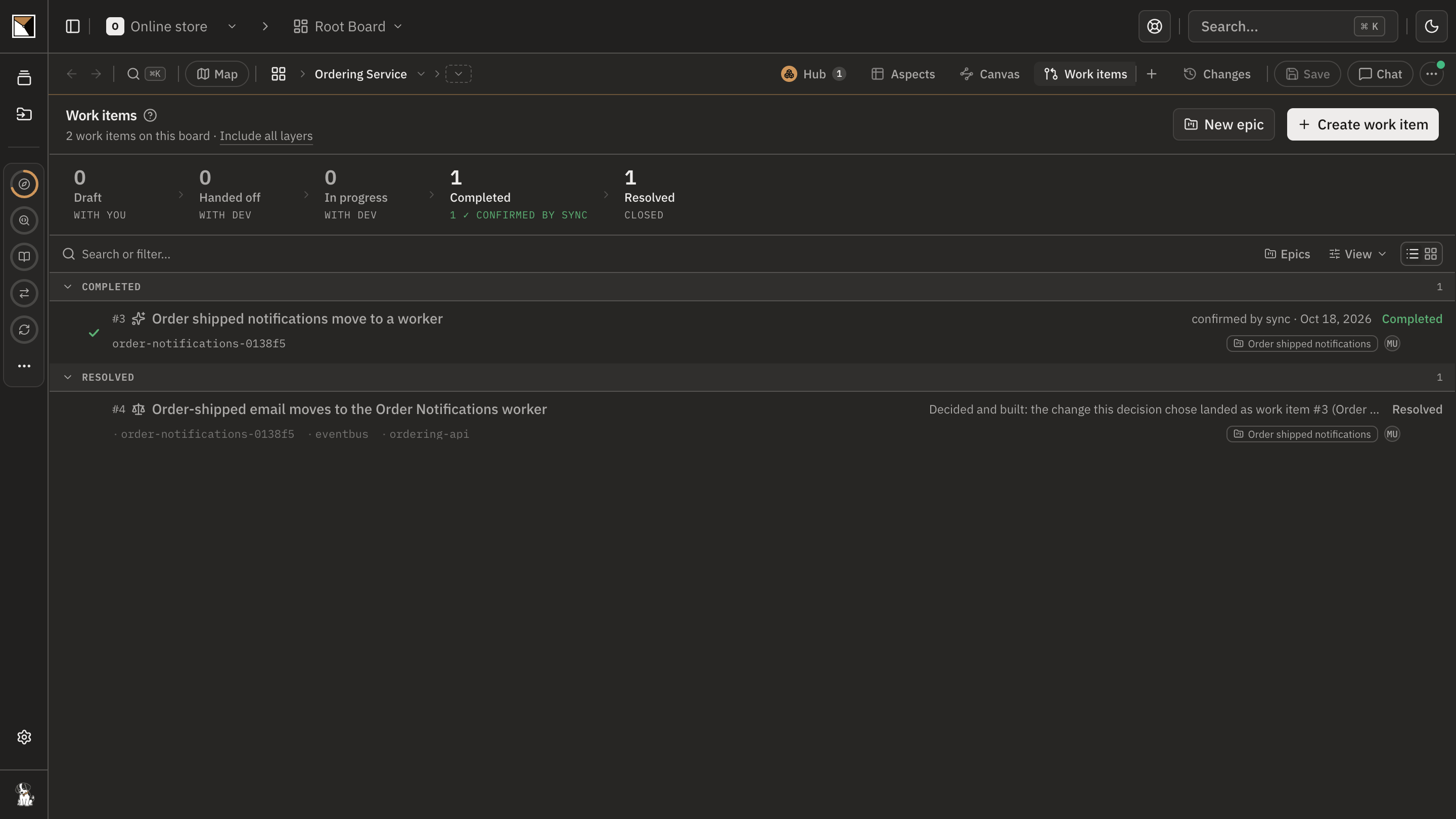
Check what the agent did
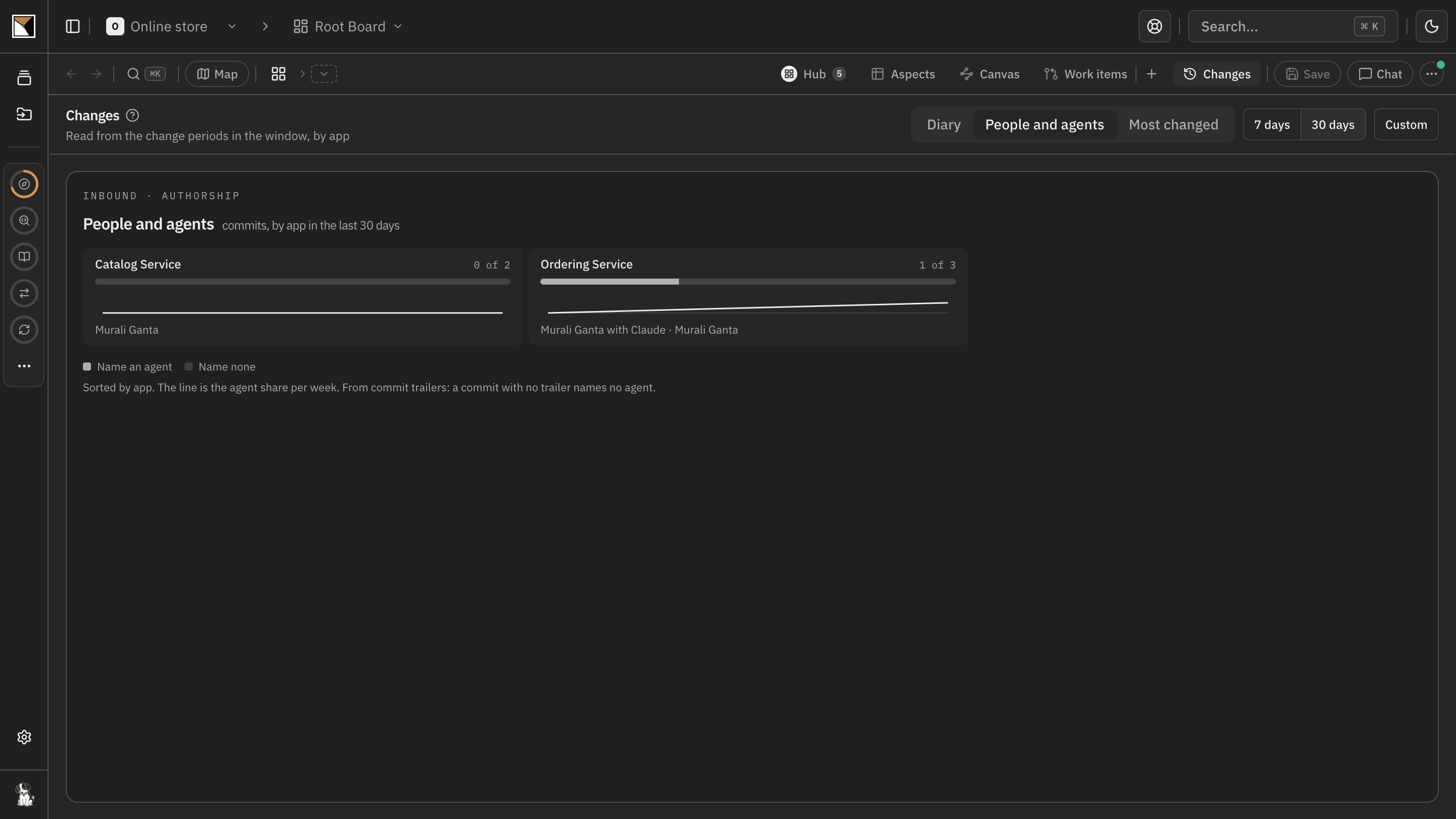
The next sync redraws the board from the code and confirms the work item's structural change against it. That week's diary shows who did the work, with which agent, and which change rules it hit.
- Proven by the code
End proofDone when the agent builds from the compiled skills and the work item, and the next sync confirms the structural change against the code.
Works with
- Agents
- Claude Code, Codex and Cursor through the code plugin; any other MCP client with a read token for the boards, insights and work items.
- Code
- Boards built from your repositories by the code plugin, which runs locally and pushes derived metadata, never your source.
- Skills
- A library of recipes and skills, your organisation's own, and the settings a skill takes, such as the CI platform or a performance budget.
- Work items
- Anchored to the elements they concern and pulled into the coding session by command; Jira and Slack when the team tracks work there.
Where it stops
- ProvenMap writes the skill files and keeps your edits; the agent's host decides how it loads them. It does not run the agent.
- Confirmation is structural. A work item written only in prose closes on the developer's word and never carries the mark.
- A read token lets an outside agent read the boards and change nothing. Changing the workspace is the workspace plugin's job, under a person's approval.
- Skills and work items describe the architecture. They do not replace the project's own checks, which the developer still runs before resolving the work.
Why not a diagram, or a code browser
A diagram shows
A picture the agent cannot read, in a tool it is not in. Whoever pastes it into the prompt is the real context, and they go home at six.
A code browser shows
The files, and nothing about what the team agreed, what the change is for, or what depends on it outside this repository.
ProvenMap shows
The conventions compiled into the repository as files the agent loads itself, the change handed over anchored to the elements it concerns, and a sync that says whether what the agent built matches.
Walk through it
- The docs walkthrough of this job is being written.
The features behind it
Start with one system
Map a real system and see the architecture around it.
Open one repository and run the code plugin. No migration, no rollout, no diagramming.
No credit card · Analysis runs locally in your own session · Self-hosted available
See the four commands to your first board →
Or for writing on architecture that stays connected across systems.