Assess the impact of a proposed architecture change
Usually an architect or CTO, with the engineering lead and product
See what a change reaches before anyone builds it: the systems, the contracts other teams call, who depends on them. Then decide, and let the sync confirm it.
The problem
A proposed change looks small until it ships. The endpoint it renames is called by another team's service, the table it reshapes is read by a report nobody remembered, and the people who would have known were not in the meeting. With coding agents writing most of the code, the gap between deciding a change and seeing its reach has grown, not shrunk.
Impact analysis usually means asking the one person who holds the map in their head, or reading diffs after the fact. Neither tells you, before the work starts, which other systems a change reaches and who has to agree to it.
How it goes
The same steps the product’s playbook walks. Each one shows the screen at that moment.
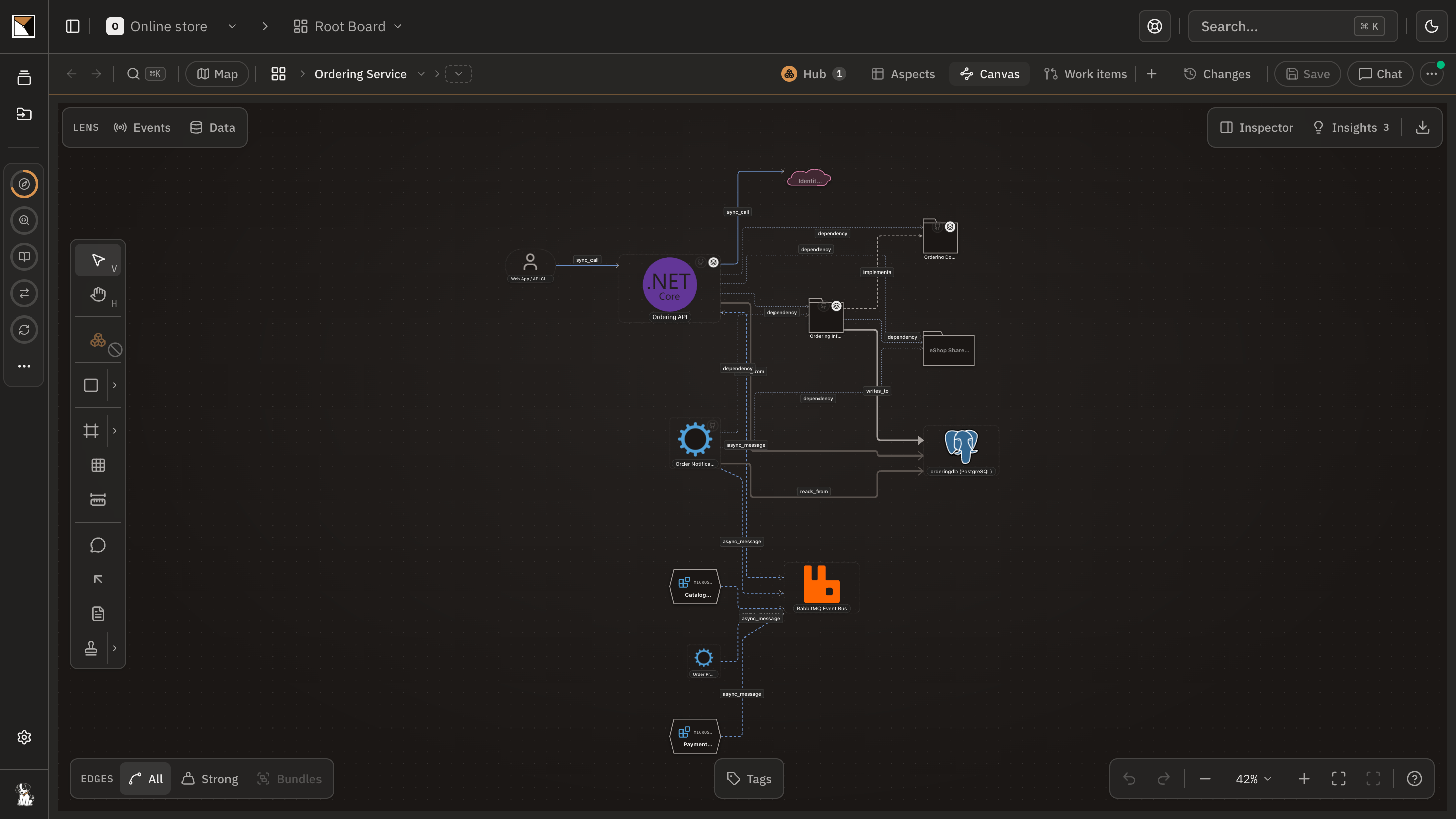
Draw the change where it lands
On the layer the change touches, draw the systems it adds, removes or reconnects, and commit the sketch. The commit becomes a work item in the change's epic, so the proposal is on the record before anyone has agreed to it.
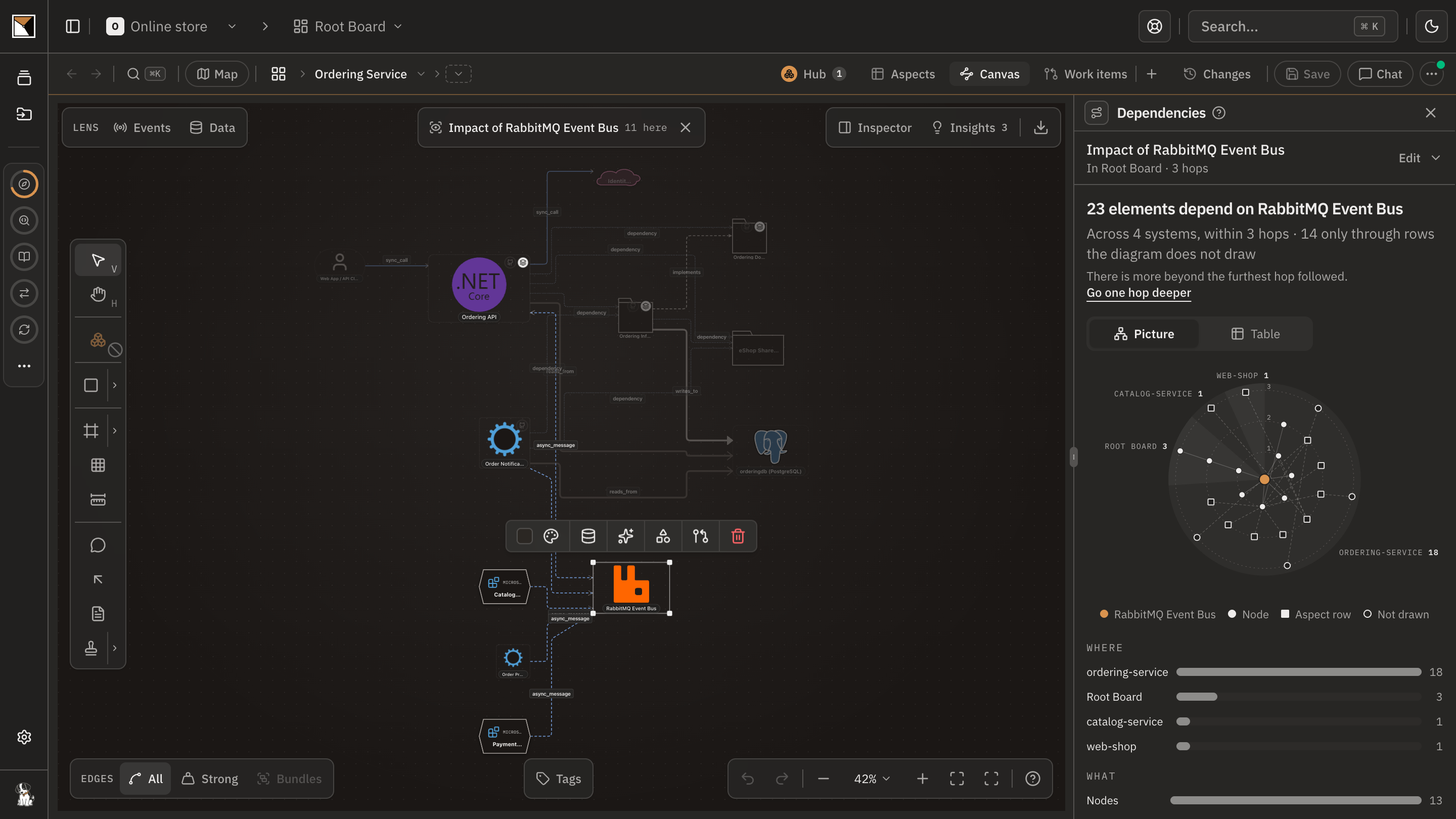
Read what it reaches
Open the dependencies of each element you drew: what calls it, what it calls, and the path between two of them. For a contract another app consumes, an endpoint, an event or a table, the board names the consumer, read from that app's own code rather than from a line someone drew.
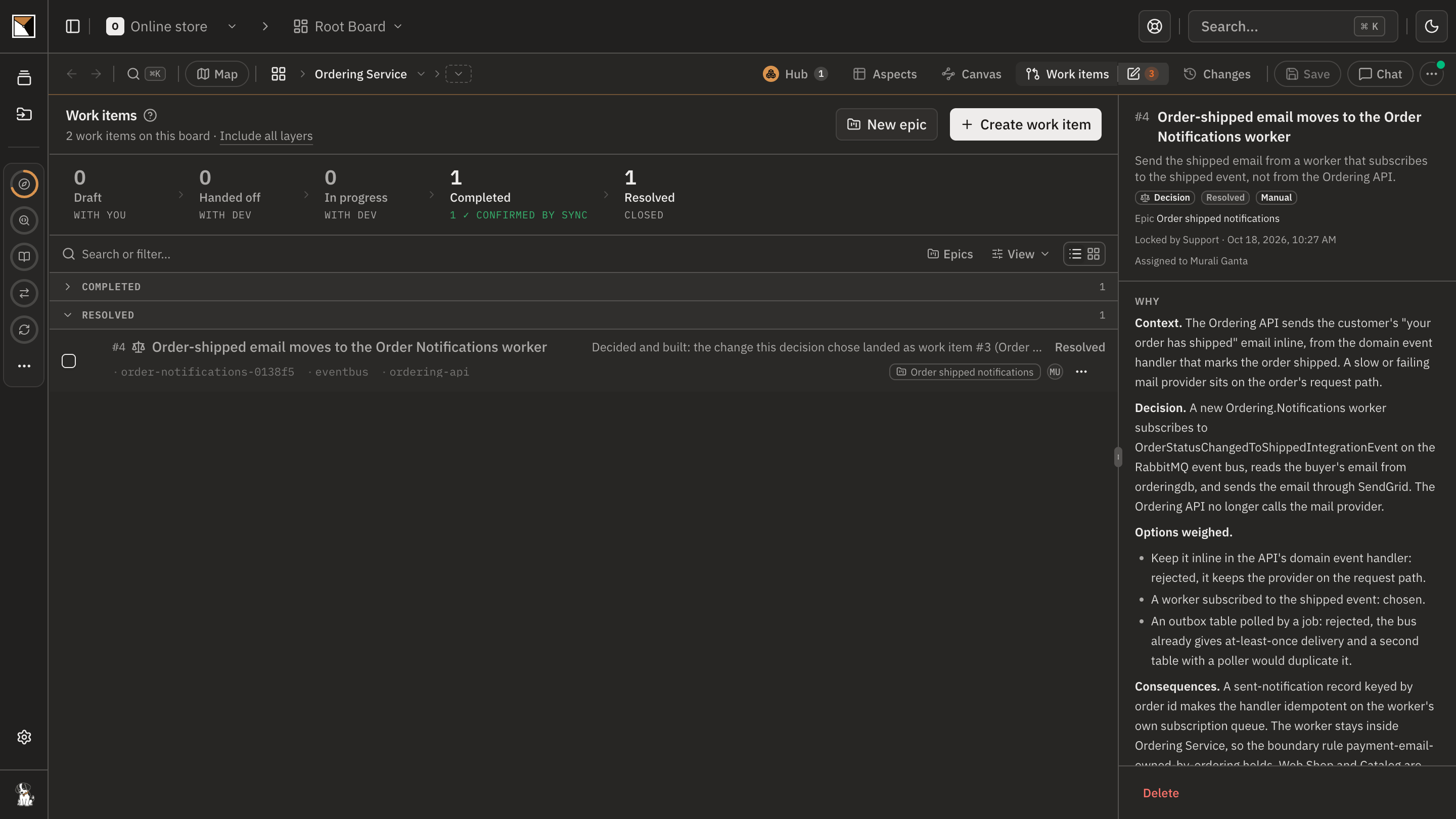
Decide together
Record the decision with the options weighed. The engineering lead agrees and product reads it, each on the record, before a line of code is written.
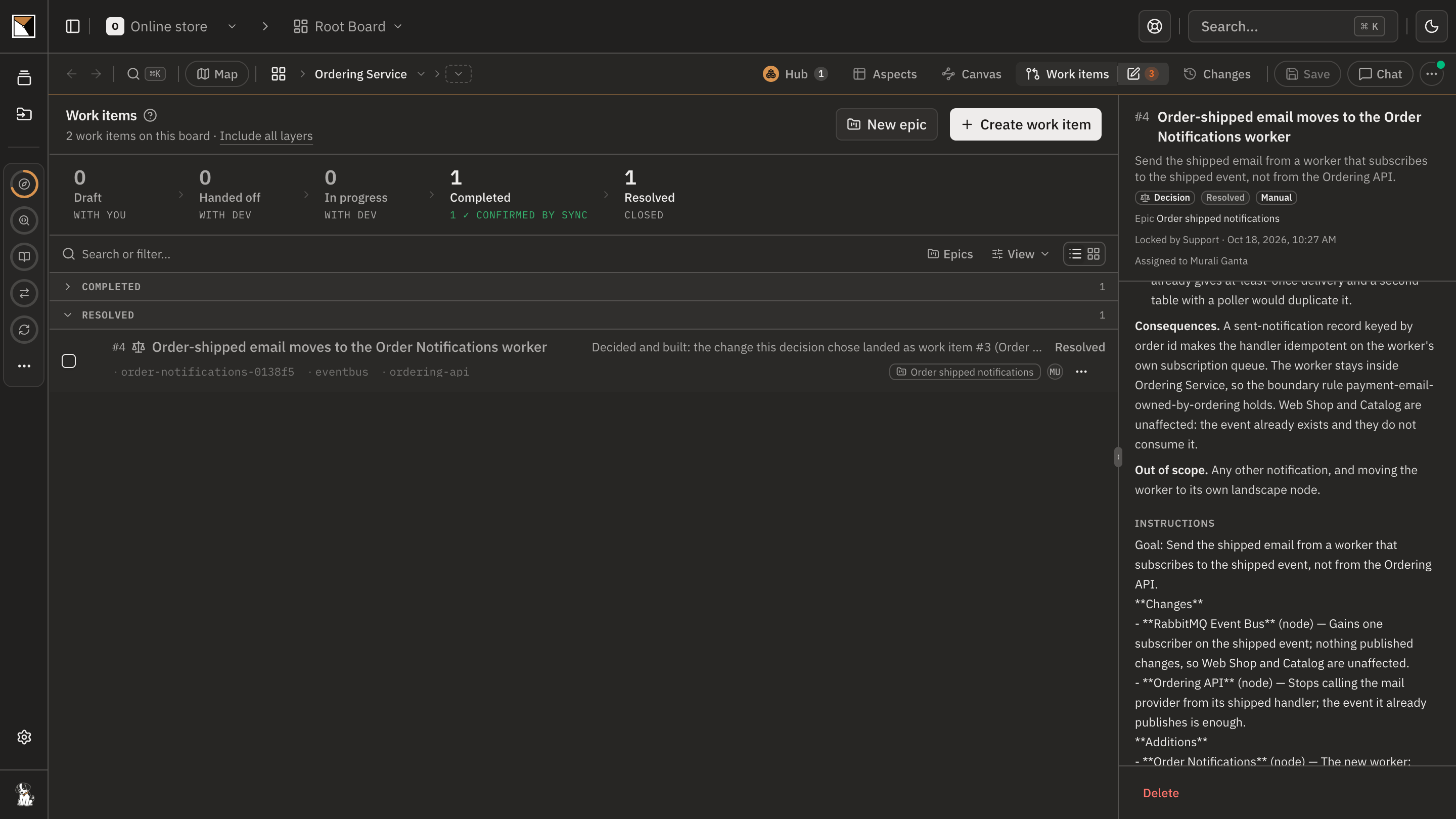
Hand it off
Hand the decision to the team as a work item, for a developer or their coding agent to claim. It arrives in their coding session with the elements it concerns attached.
See it built
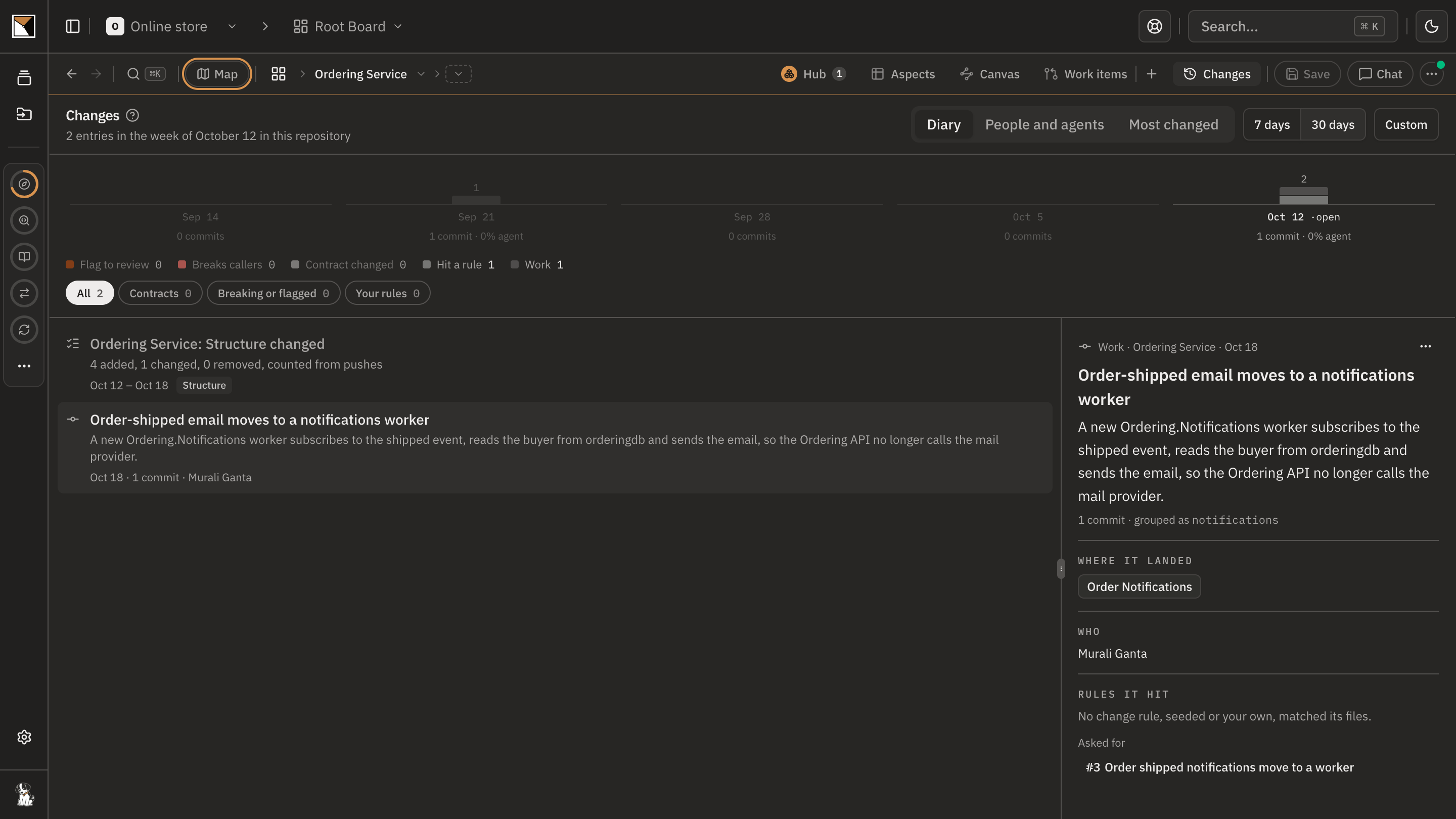
The next sync confirms the decision's structural change against the code, and that week's diary entry shows where the work landed and which other apps it reaches.
- Proven by the code
End proofDone when the decision is built, and the next sync confirms its structural change against the code.
Works with
- Code
- Boards built from your repositories by the code plugin, which runs locally inside Claude Code, Codex or Cursor and pushes derived metadata, never your source.
- Contracts
- Endpoints, events and tables adopted from each app, so a consumer in another repository is named, not guessed.
- Decisions
- A decision board for the options weighed, and acknowledgements from the people the change needs, each with a name and a date.
- Work items
- The hand-off to the team, pulled into a coding session with the change's elements attached; Jira and Slack when the team tracks work there.
- Plans
- Every step runs on the Free plan, including the confirmation by a sync.
Where it stops
- Reach is read from adopted contracts and from the connections drawn between systems. An app whose contracts have not been adopted shows no consumers, and the page says so rather than claiming there are none.
- People and roles drawn on the canvas use a system; they are not counted as dependants.
- Confirmation is structural: the sync checks that the elements the decision adds, removes or reconnects exist in the code. It does not judge whether the behaviour is right.
- Impact is as current as the last sync. Schedule the analysis so the board is never older than a week.
Why not a diagram, or a code browser
A diagram shows
The change you drew, as you drew it. Nothing in it knows who calls the endpoint you are about to rename, or that a report reads the table you are reshaping.
A code browser shows
The callers inside one repository, and it stops at that repository's edge, which is where the costly surprises live.
ProvenMap shows
Every repository read into one landscape, so the consumer in the other app is named from its own code. The decision, the hand-off and the proof then sit on the same record, and the next sync says whether the change landed.
Walk through it
- The docs walkthrough of this job is being written.
- In the product this job runs as the playbook Make an architecture decision and see it built. The board ticks each step when what it asked for exists.
The features behind it
Start with one system
Map a real system and see the architecture around it.
Open one repository and run the code plugin. No migration, no rollout, no diagramming.
No credit card · Analysis runs locally in your own session · Self-hosted available
See the four commands to your first board →
Or for writing on architecture that stays connected across systems.