Keep software architecture documentation up to date
Usually an architect or a tech lead, for the whole team
A board drawn from the code and redrawn on a schedule, with the old document's decisions adopted beside it, published as the link people open instead.
The problem
The architecture document was true the week it was written. Then the code moved, the diagram did not, and now nobody trusts it, so nobody updates it. The decisions behind the structure were in the document too, and they went stale with it.
A document kept by hand loses to a codebase that changes every day, whoever owns it. The fix is not a better owner. It is a document that is read from the code.
How it goes
The same steps the product’s playbook walks. Each one shows the screen at that moment.
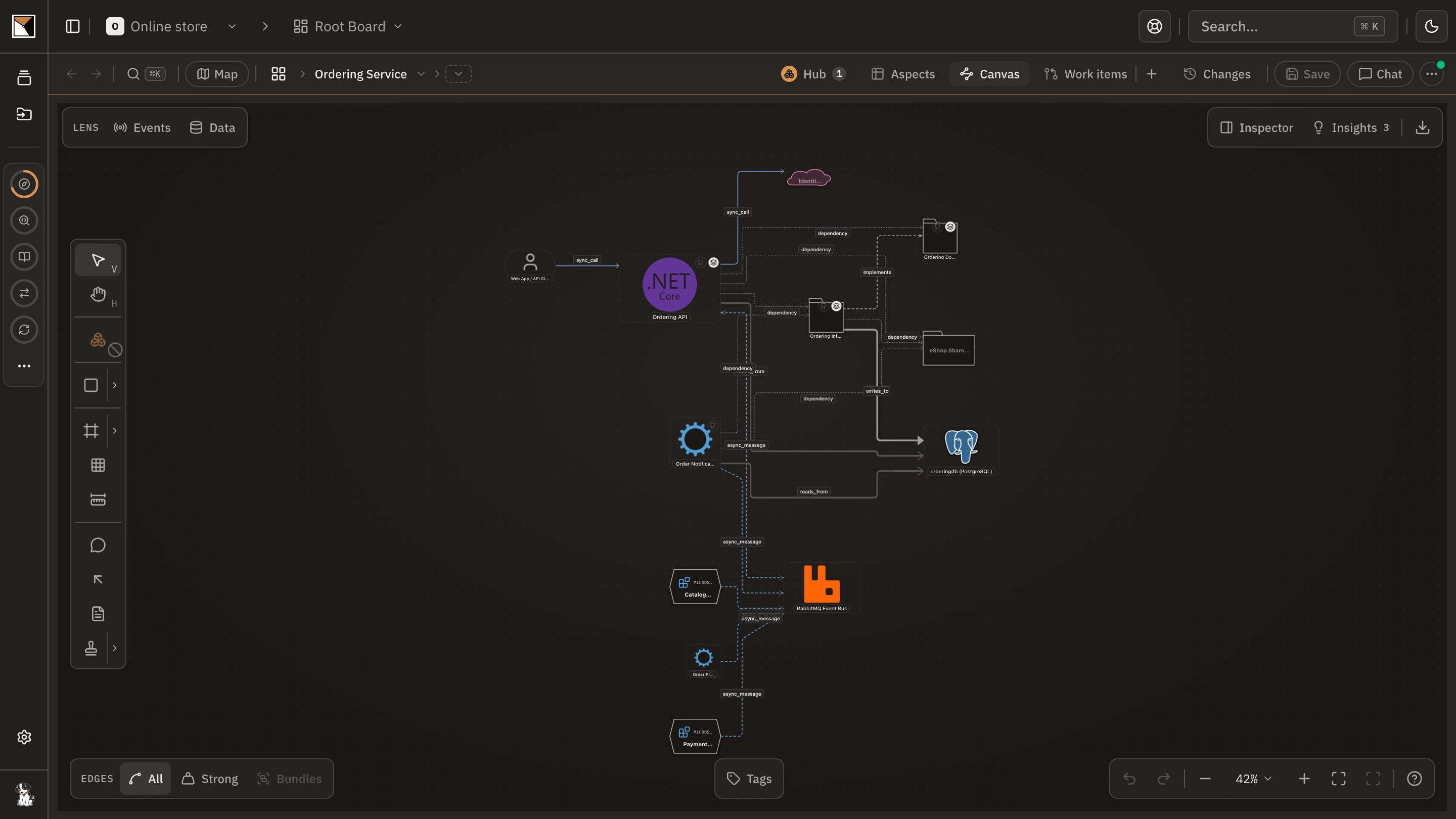
Draw the board from the code
The code plugin analyses the repository on your machine and draws the app board: the systems, their connections, the contracts they serve. Nothing on it is drawn by hand.
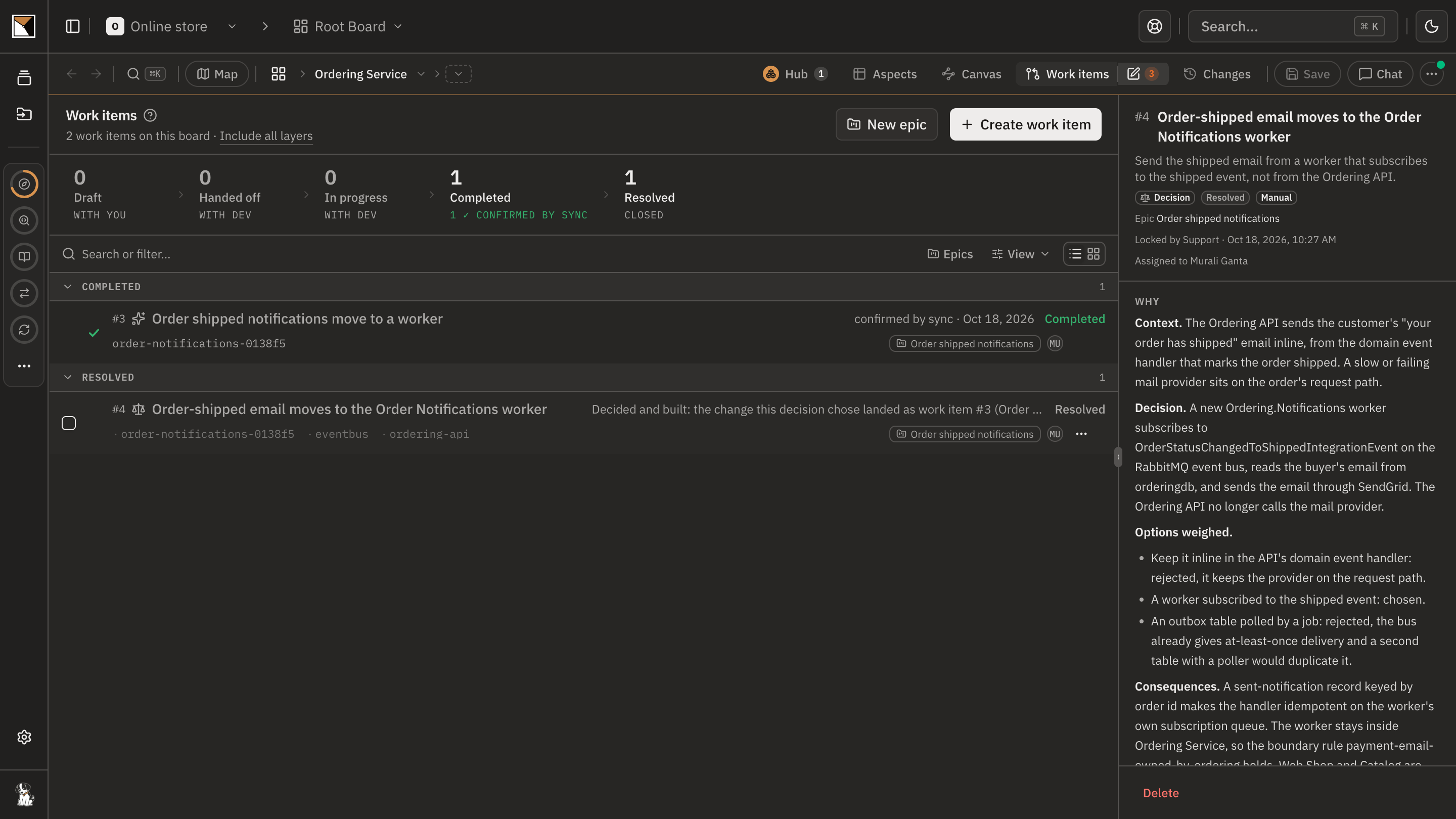
Bring the old document's decisions in
Adopt the decision records the old document carried, so the why behind the structure lives on the board beside the structure, as decisions with their options and consequences.
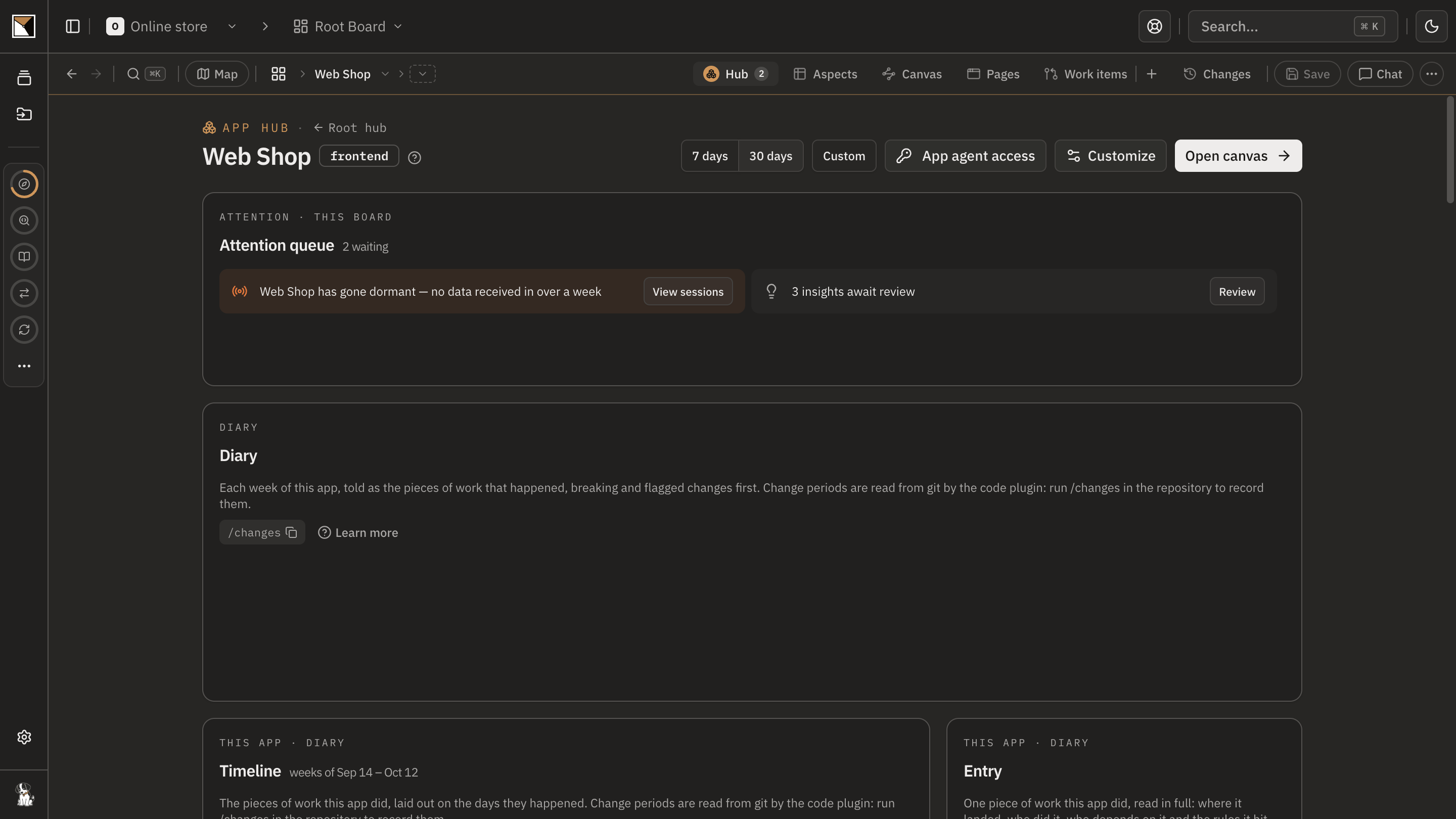
Sync on a schedule
Schedule the analysis to run on your machine. Every run refreshes the boards whose code changed, syncs them, and records the week's changes. The board moves with the code without anyone running a command.
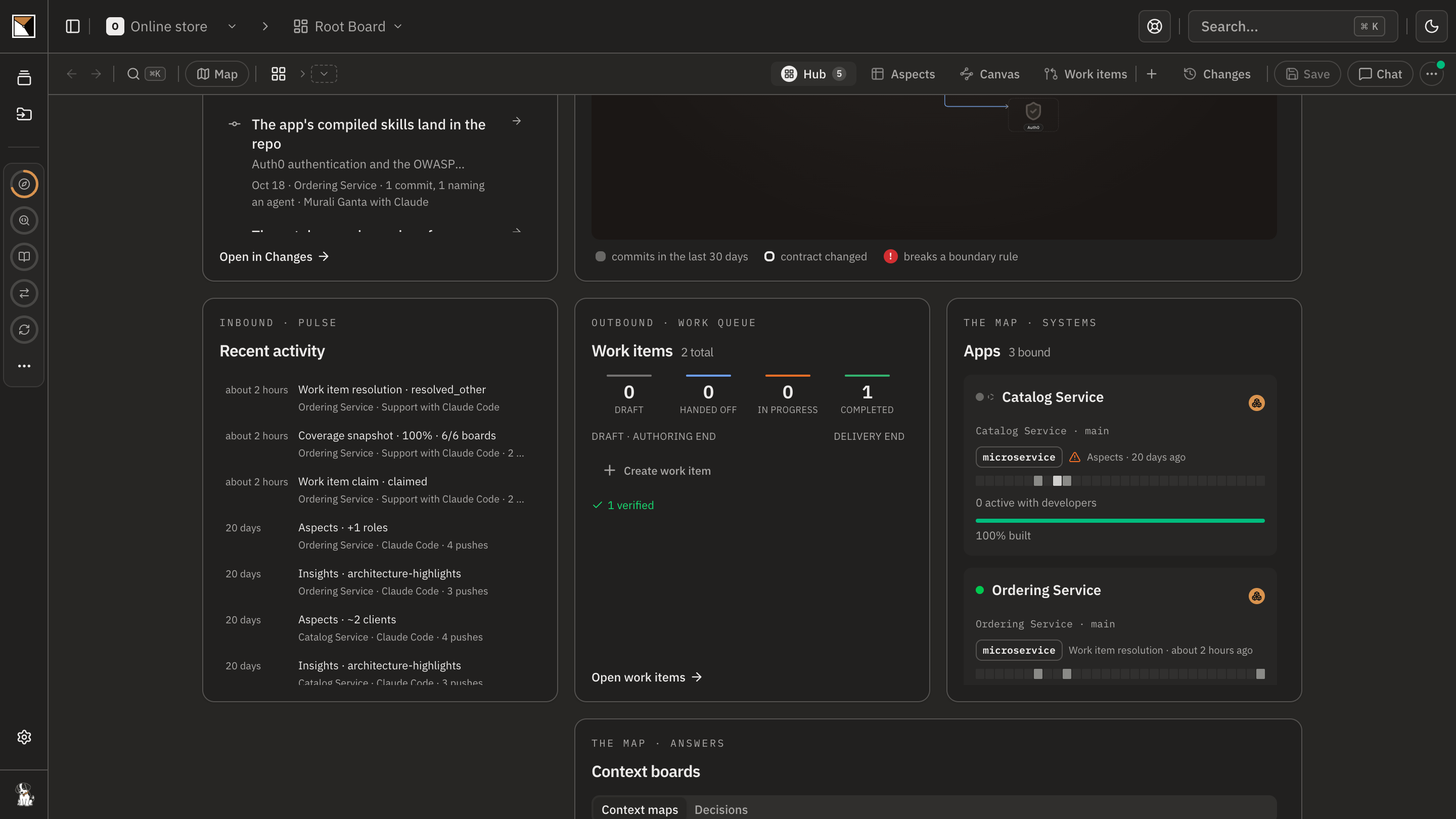
Let the hub tell you
The root hub counts the boards that have fallen behind their code and lists what waits on a person. A board that is older than its code says so; nothing drifts silently.
Share the link
Publish the board. Whoever used to open the document opens a read-only, interactive board instead, and it is the same one the engineers work from.
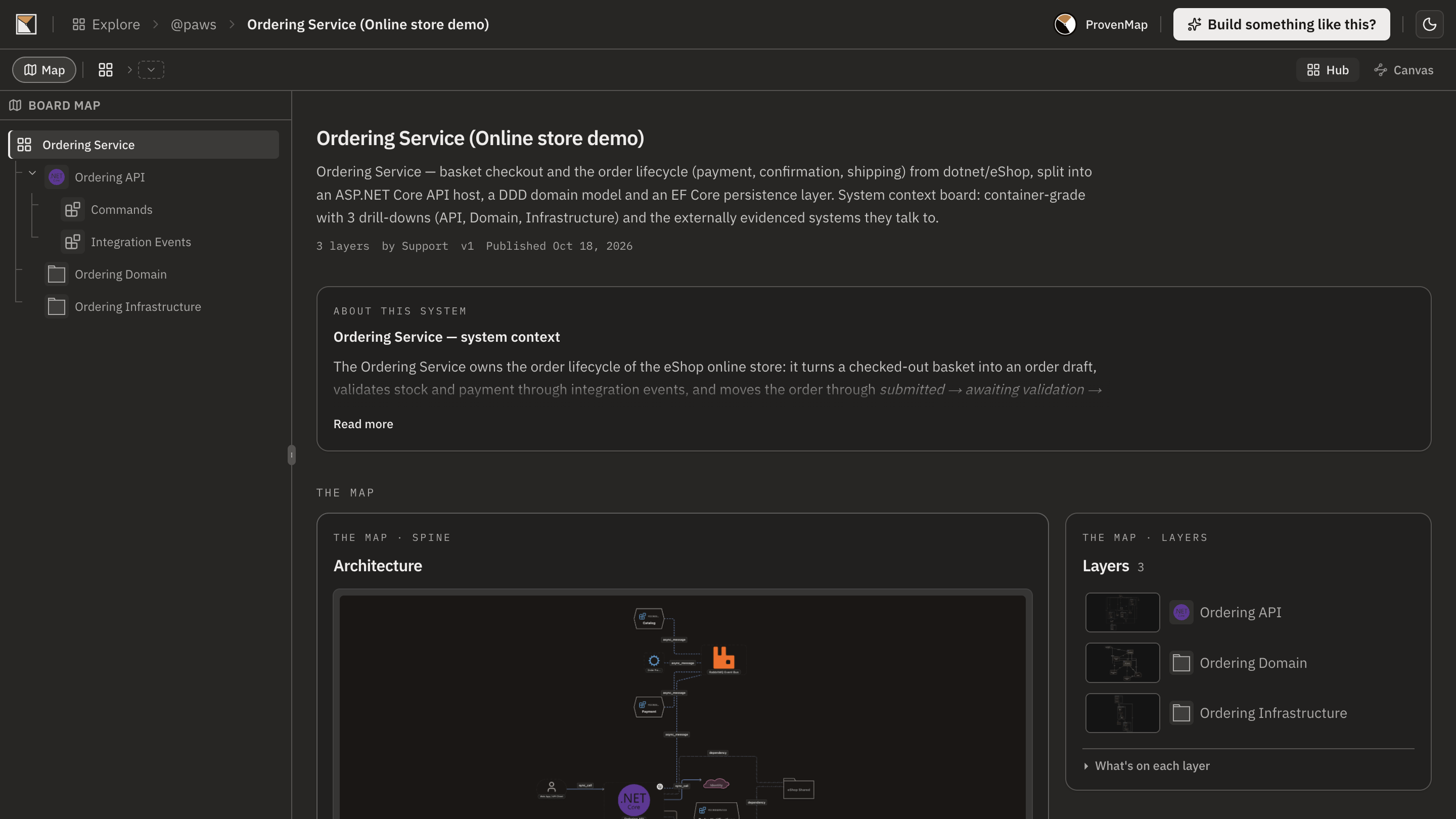
- Done
End proofDone when the board is published as a link and moves with the code on its own.
Works with
- Code
- Boards built from your repositories by the code plugin, which runs locally and pushes derived metadata, never your source.
- Decisions
- Decision records and ADRs in the repository, adopted onto the board as decisions beside the systems they shaped.
- Schedules
- A local routine in Claude Code or a scheduled task in Codex, on your machine, running the analysis unattended and recording every run.
- Readers
- A published board: public, unlisted, or protected by a token, a password or both. No account needed to read it.
Where it stops
- The board shows the structure the code proves. Rationale, trade-offs and intent are on it only if a person put them there, as decisions or notes.
- A scheduled run needs the machine awake and the repository clean, on its bound branch and able to pull. A run that cannot go ahead stops and says why.
- What the plugin cannot read is not drawn; coverage is by the languages and file types it supports.
- A published board is read-only and shows what was published, not the working copy.
Why not a diagram, or a code browser
A diagram shows
A drawing of the architecture on the day it was drawn. Keeping it true is a person's job, and it is the first job dropped when the sprint is full.
A code browser shows
The code, which is true, and nothing above the file: no systems, no connections between repositories, no decisions.
ProvenMap shows
A board drawn from the code and redrawn on a schedule, the decisions adopted beside it, published as the link people open instead of the document, and a hub that says when a board has fallen behind.
Walk through it
- The docs walkthrough of this job is being written.
- In the product this job runs as the playbook Replace the stale architecture doc. The board ticks each step when what it asked for exists.
The features behind it
Start with one system
Map a real system and see the architecture around it.
Open one repository and run the code plugin. No migration, no rollout, no diagramming.
No credit card · Analysis runs locally in your own session · Self-hosted available
See the four commands to your first board →
Or for writing on architecture that stays connected across systems.