Plan a new software project from spec to handover
Usually an architect or an engineering lead, with the developers who build it
A written spec turned into a landscape, an app with a target sketch, sequenced work items and compiled skills, and a first slice built in an empty repo.
The problem
A new project starts as a document. Someone has to turn it into systems, an order of work, and the conventions the code should follow, and by the time the first developer opens an empty repository most of that lives in the architect's head and a slide.
With coding agents, one engineer can take a spec to a working slice in a day. The plan, the reasons and the order of work still have to be visible to everyone else who carries the project after them.
How it goes
The same steps the product’s playbook walks. Each one shows the screen at that moment.
Found the landscape from the spec
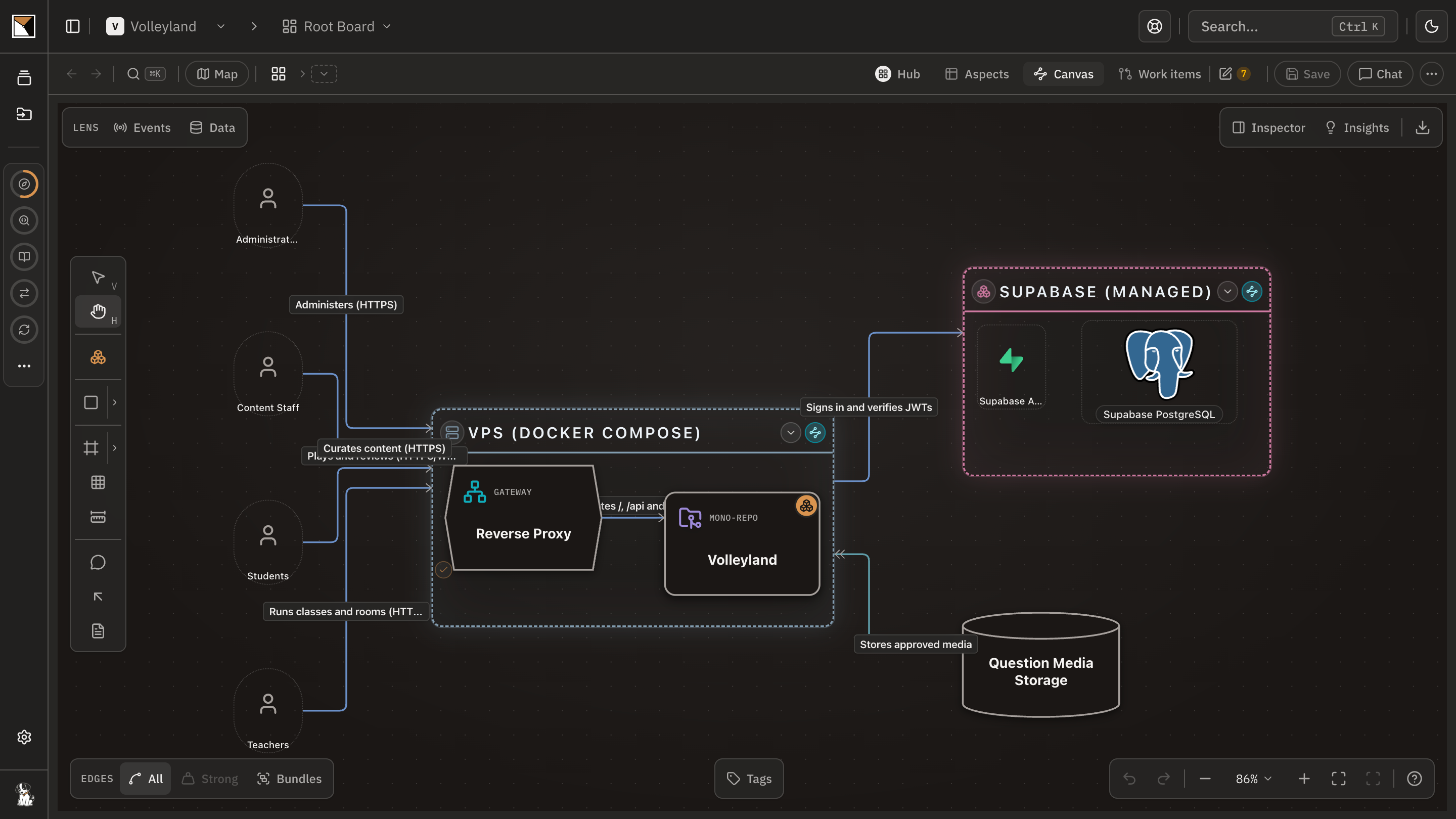
The workspace plugin reads the spec and asks only what it leaves open. It draws the systems you intend to build on the root board, each one planned, with the actors and services around them, and commits it with a reason.
Turn a planned system into an app
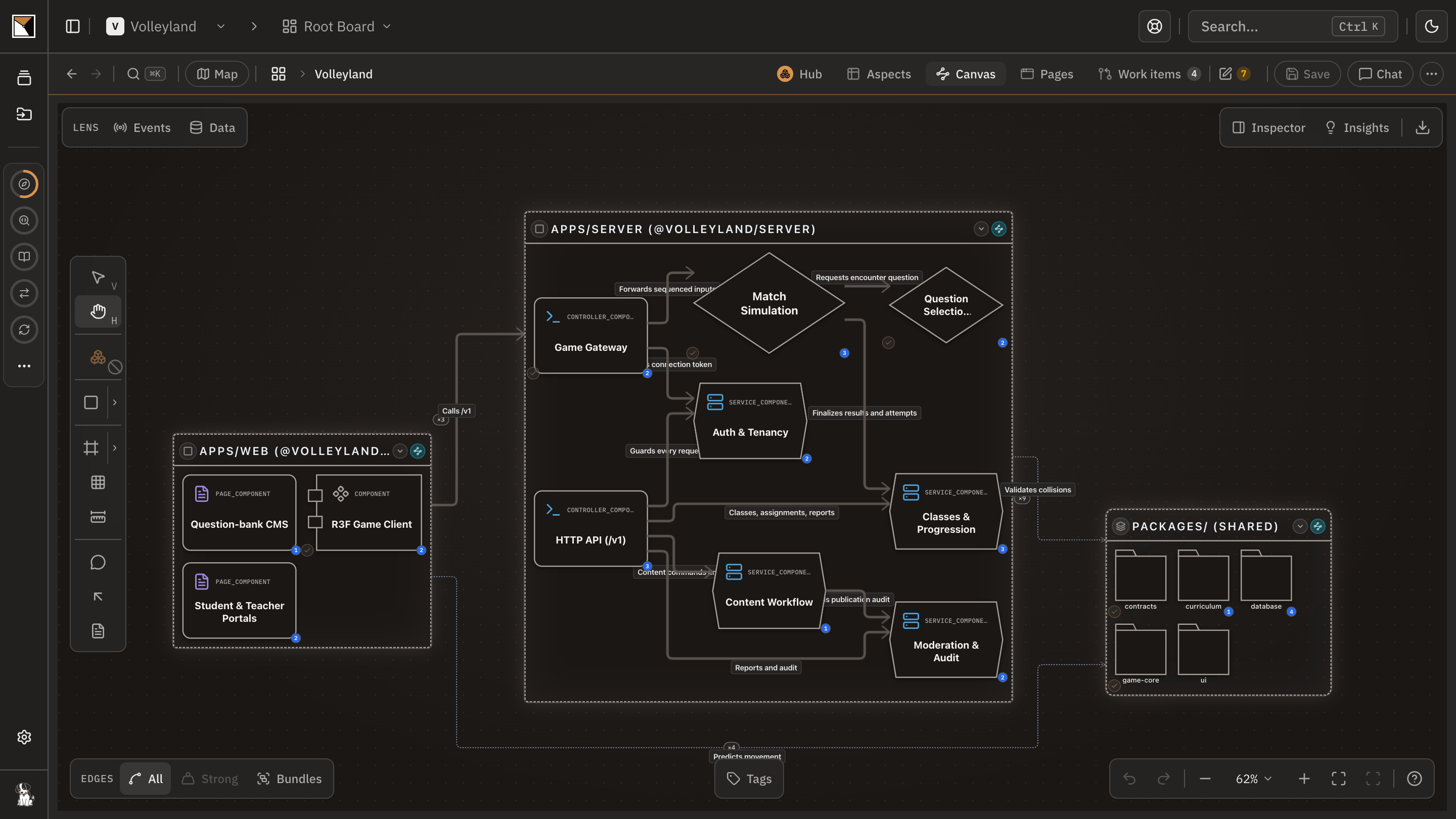
One round of questions binds the app to the repository that is coming, picks the branch, and draws a target sketch on its board from the spec: the apps, the components it names, the edges between them, before any code exists.
Sequence the work and hand it off
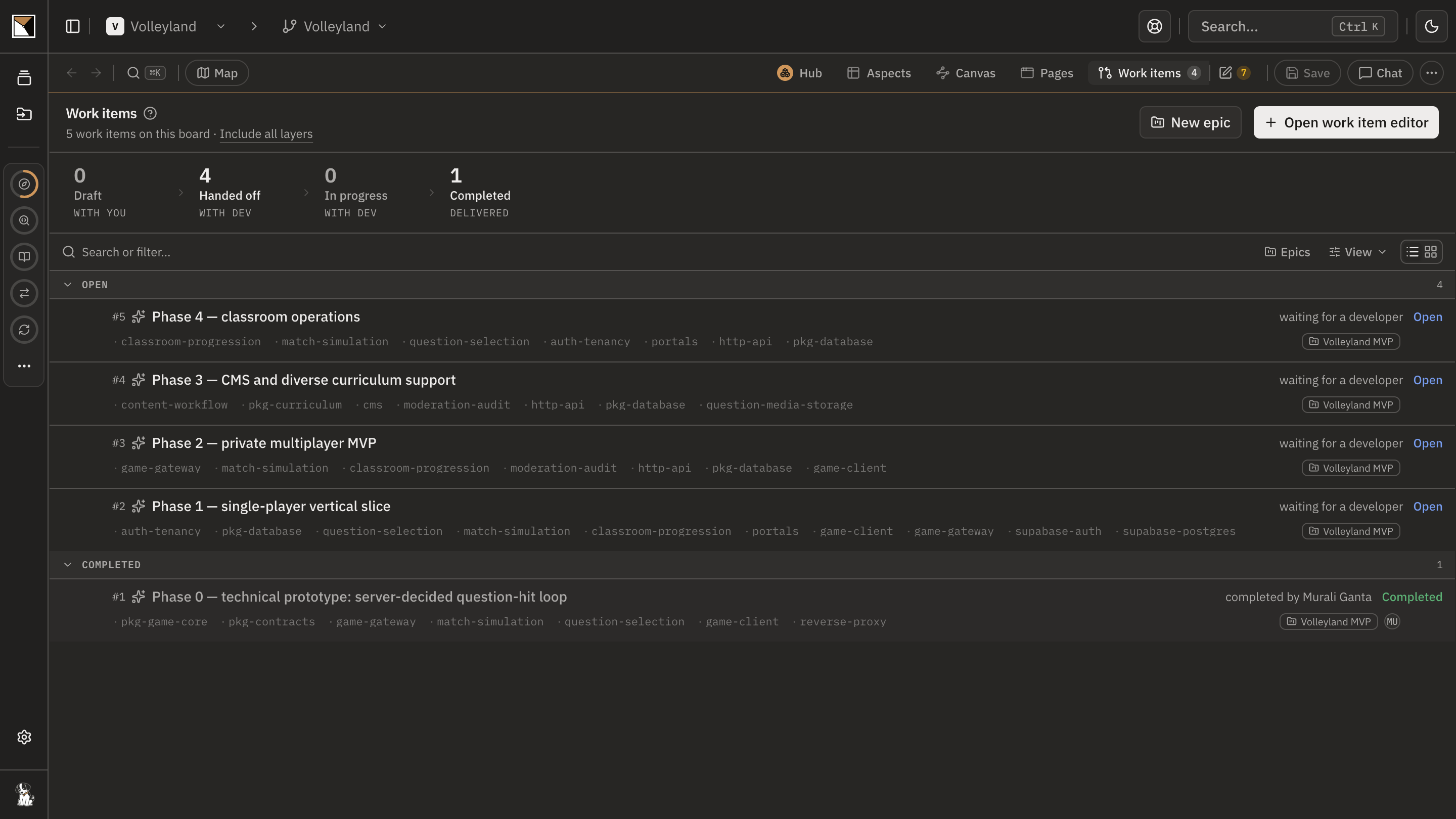
The plugin drafts the rest of the spec's phases as work items under an epic, each with its exit condition and what it waits for, and proposes compiled skills for the stack. The architect hands the drafts off to the developers.
Build the first slice
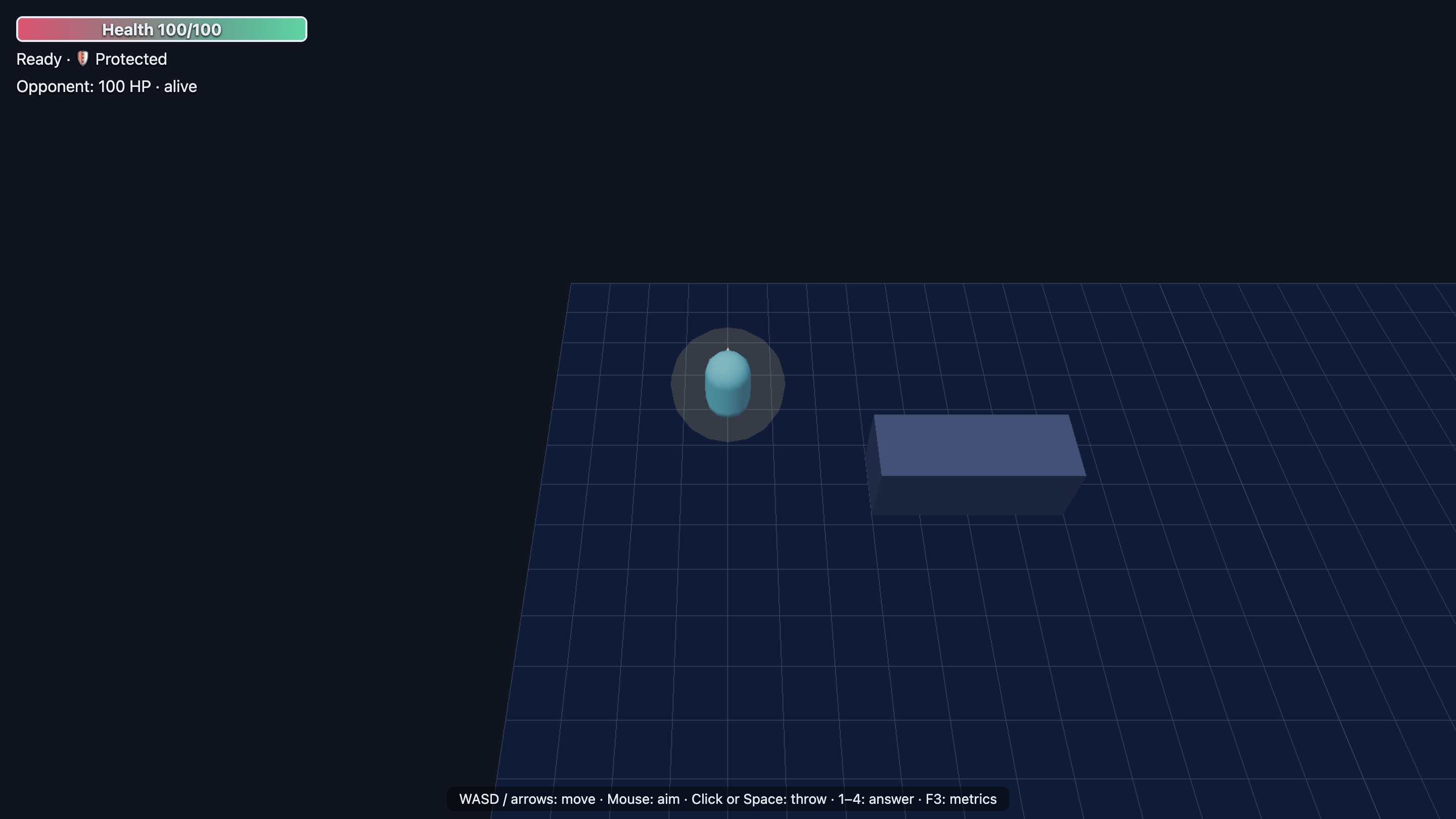
In the empty repository the developer's agent writes the compiled skills, claims the first work item, reviews it against the code, plans each element where the next sync can match it, and implements it, recording the project's own checks as evidence.
See it on the board
Back on the board everyone sees the same state: the first work item completed with the developer's note and commit, naming what still needs a person, and the rest open in the order the plan set.
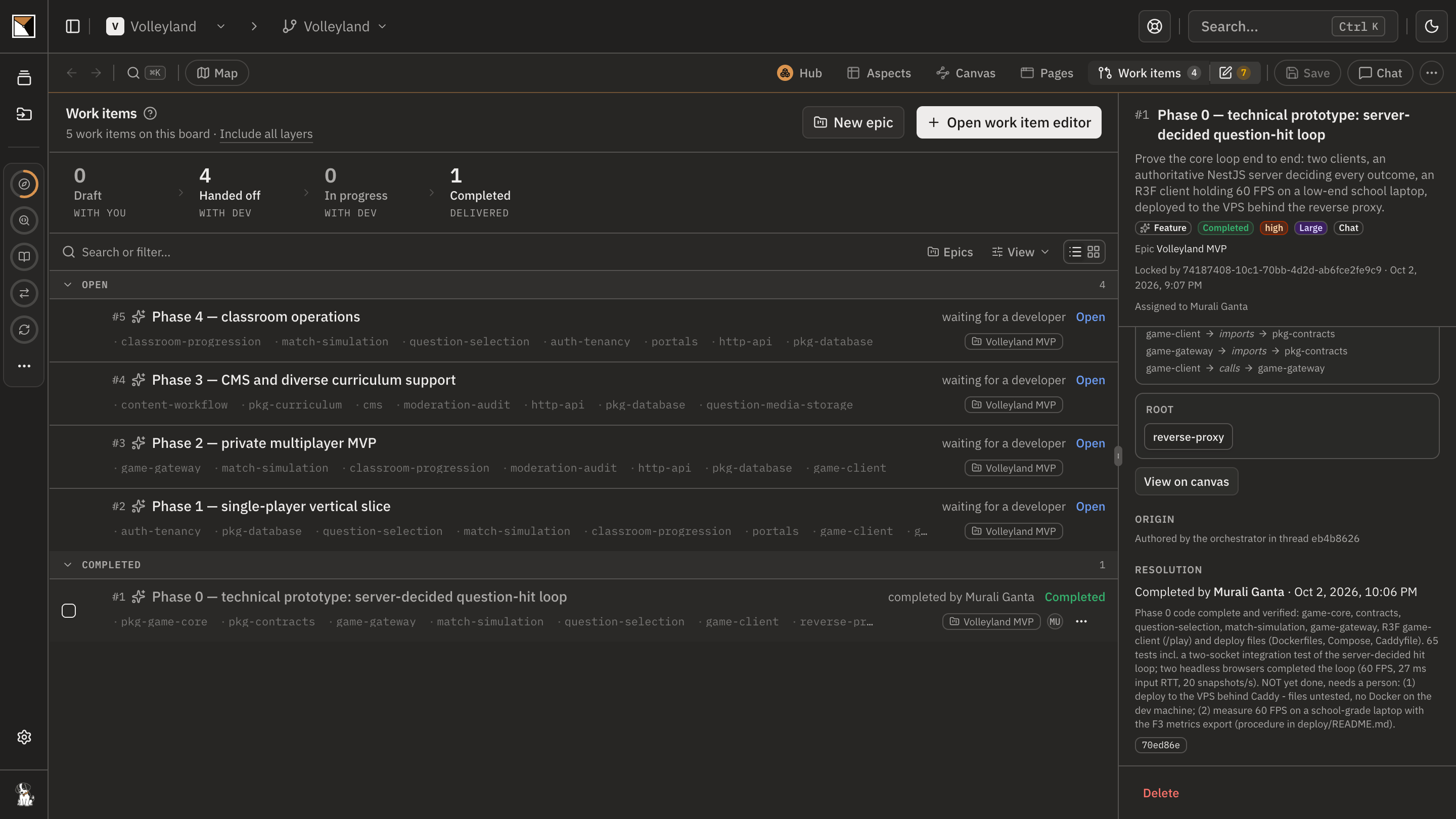
- Done
End proofDone when the first work item is completed in the repository, and the rest are open in build order for the team.
Works with
- Spec
- Any written spec added to the session: a PRD, an RFC, a markdown document. Every decision it settles is a question the plugins do not ask.
- Plugins
- The workspace plugin for the architect, the code plugin for the developer, in Claude Code, Codex or Cursor.
- Skills
- Compiled skills matched to the stack from the library, written into the repository with a lock that keeps local edits.
- Work items
- Sequenced under an epic with their exit conditions, handed off, claimed and resolved with recorded checks.
Where it stops
- Founding a landscape runs on an empty root board; on a populated one, start by turning a planned system into an app.
- The target sketch is a plan, not a guarantee: the first sync after the code lands compares the code with it and shows what is still unbuilt.
- Recorded checks stay valid for about thirty minutes; resolve the work item while they are fresh.
- ProvenMap does not write the app. The developer's coding agent does, from the work items and the compiled skills.
Why not a diagram, or a code browser
A diagram shows
A target architecture drawn once in a deck, with the order of work in a spreadsheet and the conventions in a wiki nobody's agent reads.
A code browser shows
An empty repository, and nothing to browse until the code exists.
ProvenMap shows
The spec turned into a landscape, an app with a target sketch, sequenced work items and compiled skills, so the first slice is built from the plan and the board shows what was built against it.
Walk through it
- Build a New App from a Spec
Every command and decision in order, in the docs.
- In the product this job runs as the playbook Take a new project from idea to handover. The board ticks each step when what it asked for exists.
The features behind it
Start with one system
Map a real system and see the architecture around it.
Open one repository and run the code plugin. No migration, no rollout, no diagramming.
No credit card · Analysis runs locally in your own session · Self-hosted available
See the four commands to your first board →
Or for writing on architecture that stays connected across systems.