Software architecture mapping for enterprise systems
Usually a head of architecture or a platform team, across many repositories
One root board for every system you run, buy or integrate, and one app for every repository beneath it, kept in sync both ways and read by every role.
Fig. 01The root board and apps, the two ideas behind everything else
The problem
An estate of a hundred systems lives in a hundred places: a wiki page per team, an enterprise architecture tool nobody updates, and the heads of a few people who have been there long enough. Nobody can see the whole shape, and the shape changes every day.
Mapping it is not a drawing exercise. It is one landscape above every system, with each repository's real structure beneath it and the people who own each part able to read it.
How it goes
The same steps the product’s playbook walks. Each one shows the screen at that moment and opens the video there.
Set up the landscape
Describe your systems in chat, or from a terminal with the workspace plugin, and the root board is drawn: every system you run, buy or integrate, the actors around them, and how they talk.
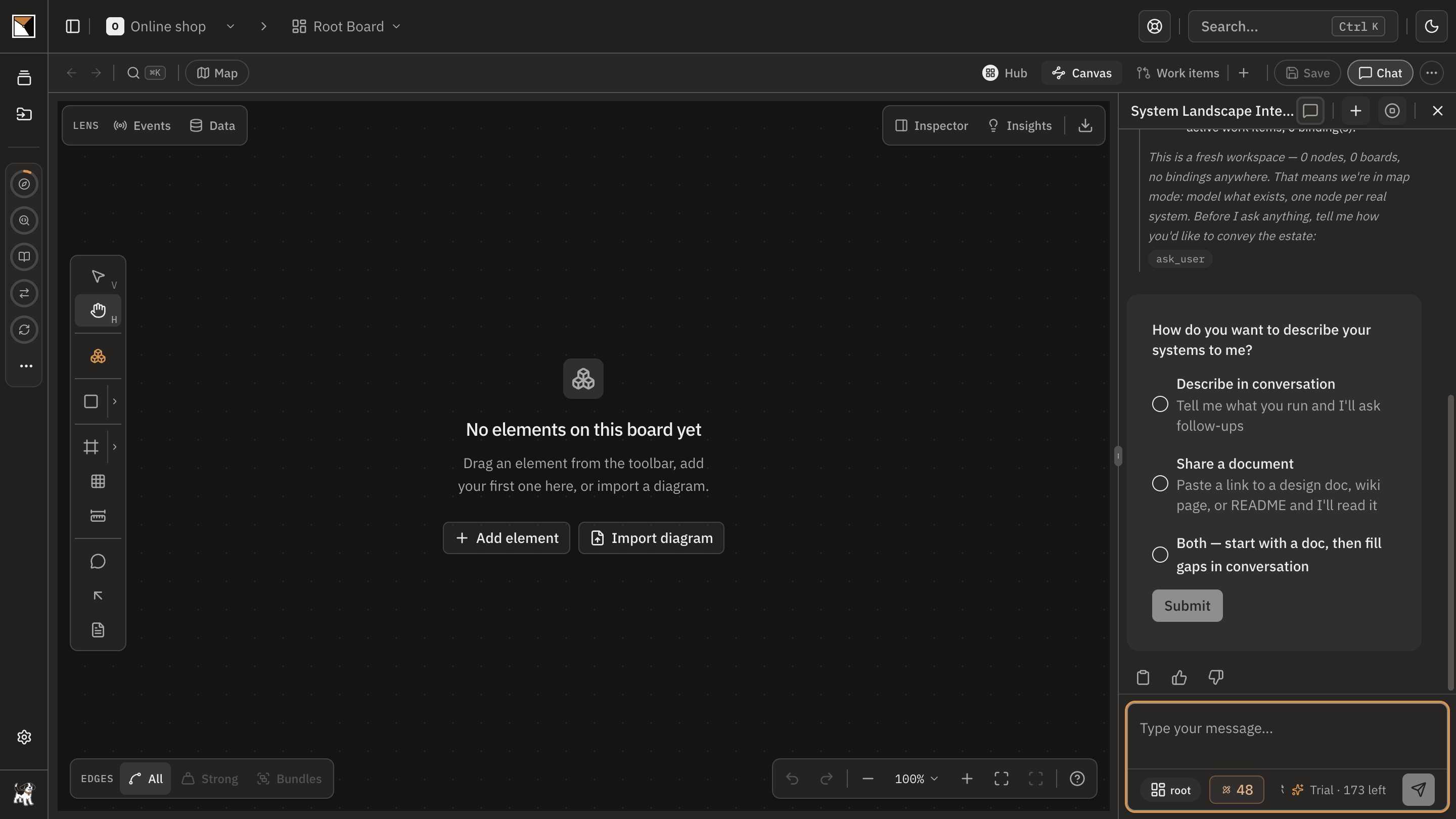
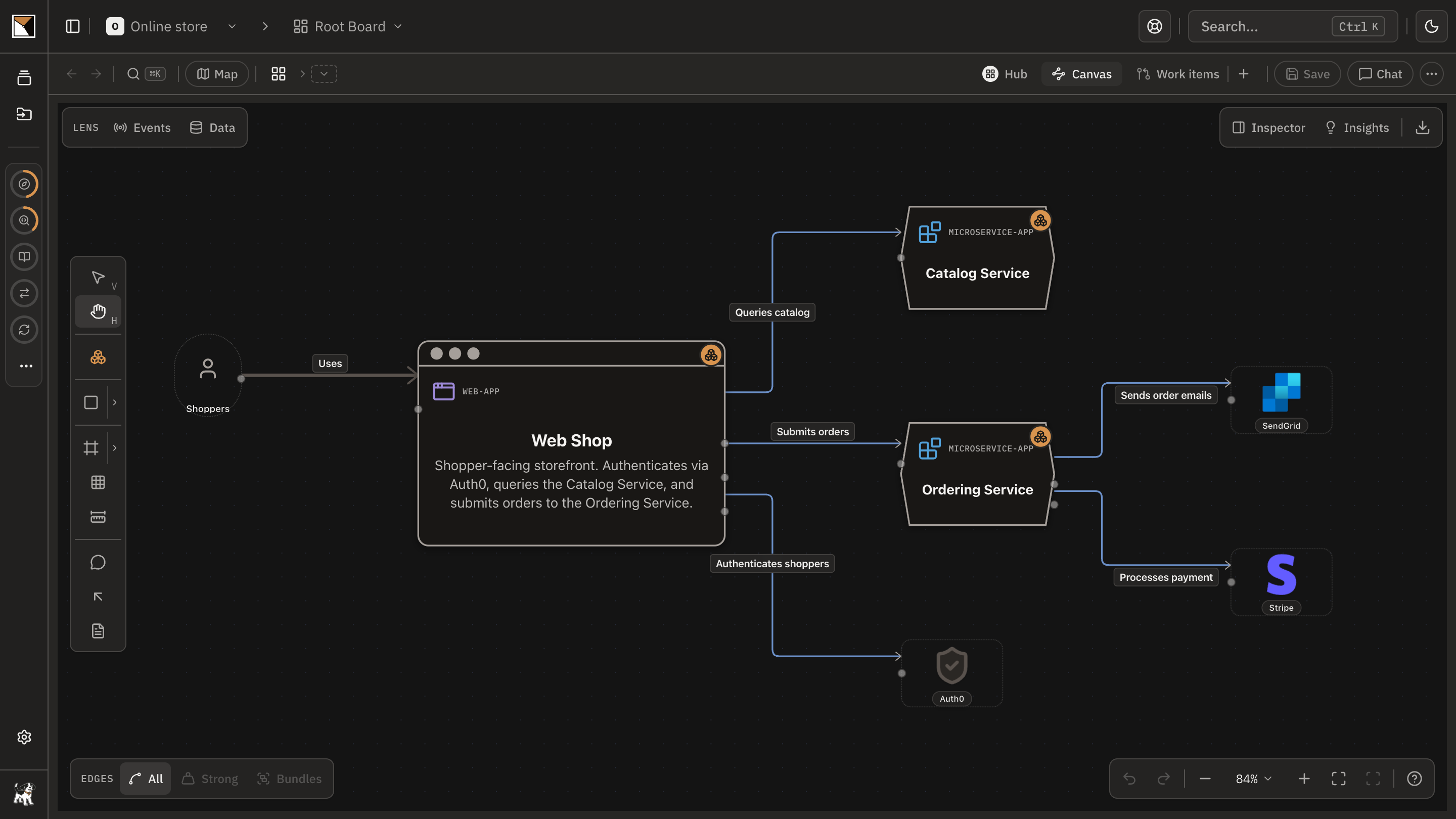
Read it as systems
Each box is one system: a service you build, a vendor you pay, a platform another team owns. The ones backed by your repositories are marked as apps; a vendor stays a plain node.
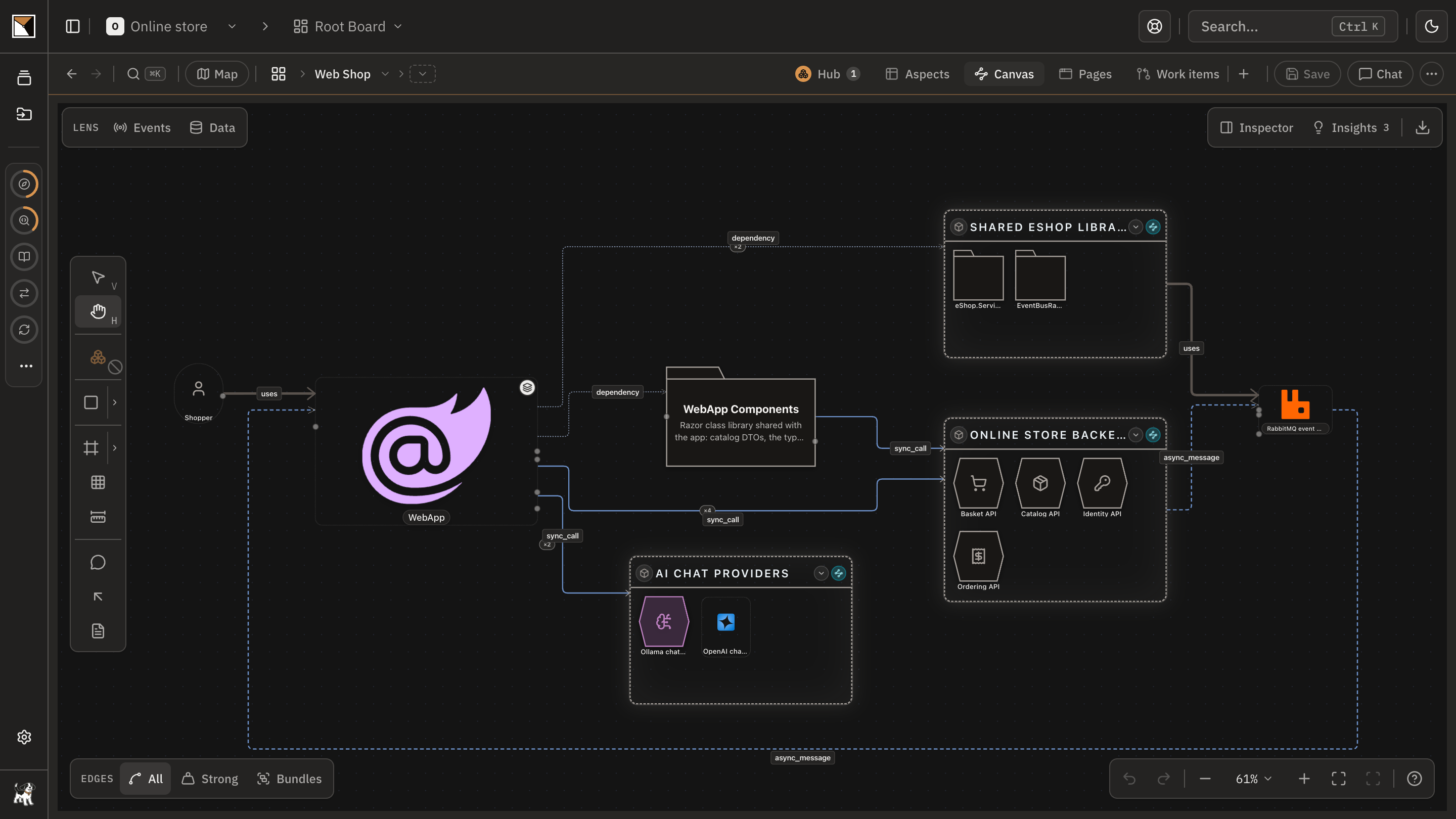
Open an app
An app's board shows the inside of that one repository: its modules, data stores and the edges between them, read from the code. Its hub is the app's front page and where it connects.
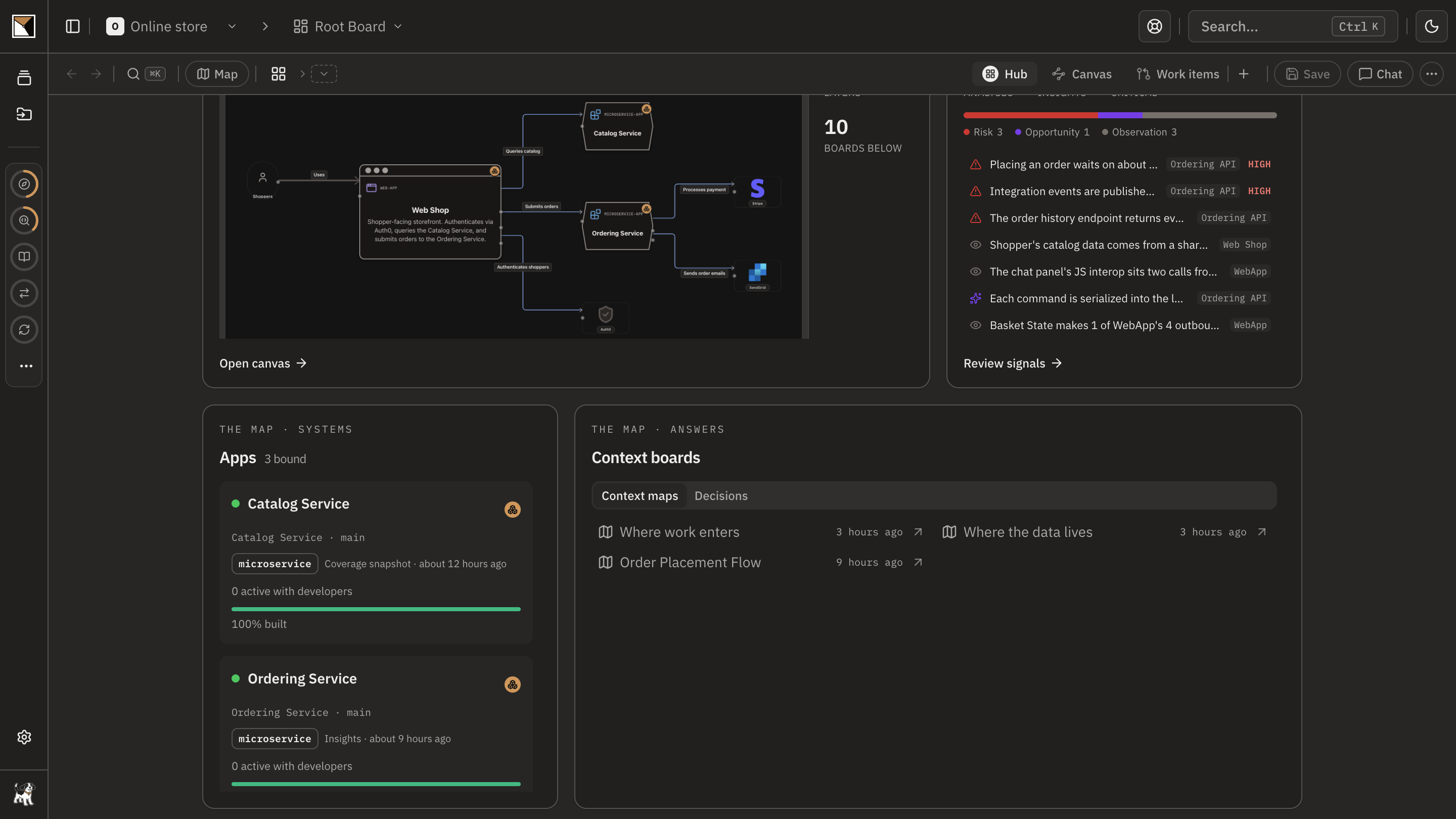
Watch the fleet
The root hub gives every app a tile: its pulse, its coverage, and its outstanding work, so the person responsible for the estate reads it on one screen.
Go as deep as you need
Any system can open a layer beneath it, as deep as you need. Together they form the board tree, and every layer is kept current by the repository it is bound to.
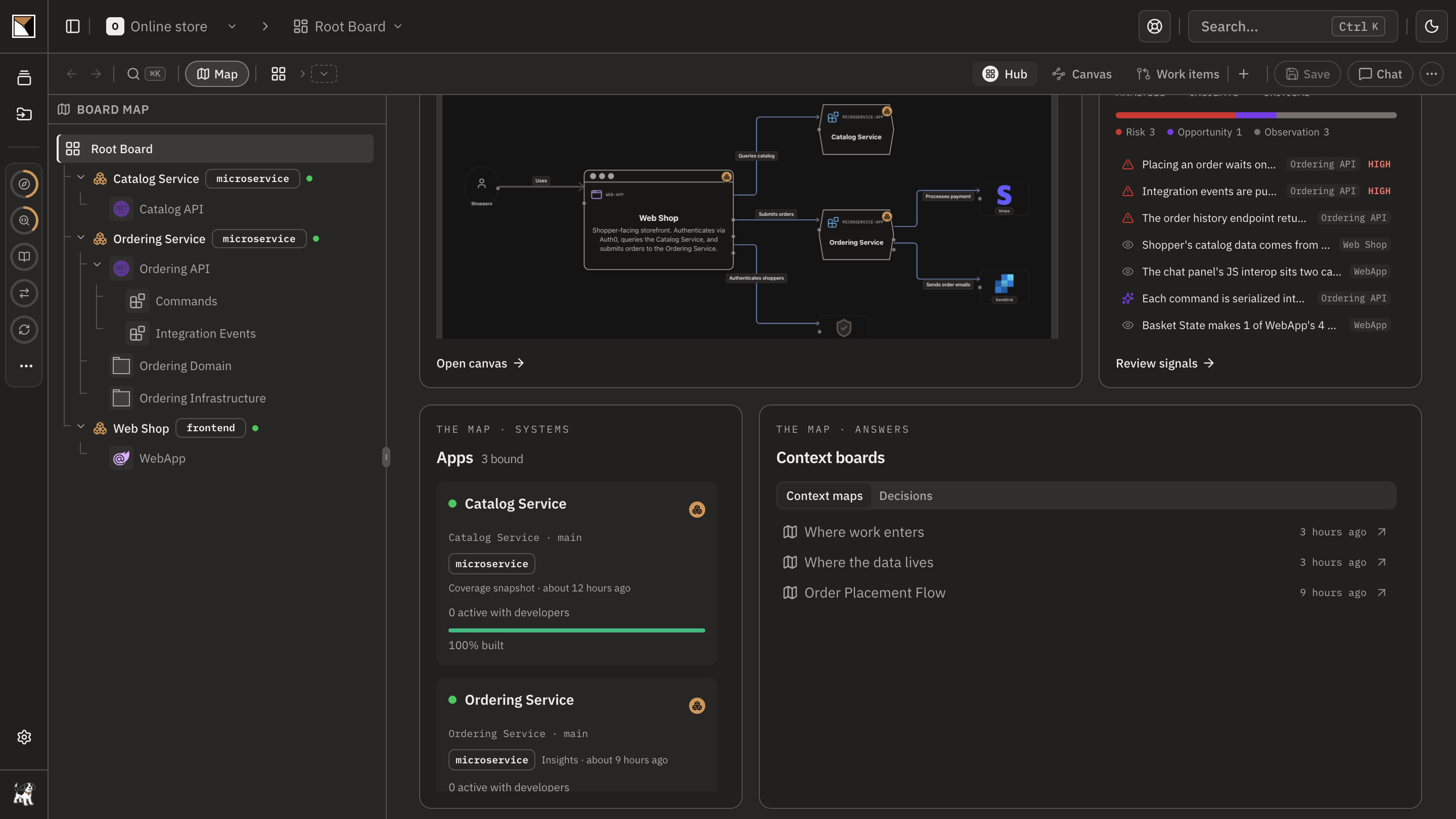
- Done
End proofDone when the root board holds every system, each repository is an app beneath it, and the hub reads the fleet's state on one screen.
Works with
- Sources
- Repositories through the code plugin, and documents, work items, decision records and architect-authored models for the systems no repository describes.
- Scale
- Workspaces per architectural domain under one organisation; a root board per workspace with the board tree beneath it.
- Access
- Owner, admin, editor and free viewer roles; private boards shared with named people; enterprise SSO and a self-hosted deployment.
- Agents
- The workspace plugin and any MCP client read the same landscape; every change a plugin proposes waits for a person.
Where it stops
- Systems without a repository or a document are on the landscape because an architect drew them; nothing syncs into a vendor's node.
- A workspace is one architectural domain. A very large estate is several workspaces, each with its own root.
- ProvenMap is not an enterprise architecture repository: it starts from the live systems and the code, not from a capability model.
Why not a diagram, or a code browser
A diagram shows
One enormous drawing, or a hundred small ones that disagree, none of them current.
A code browser shows
One repository at a time, with no landscape above it and no way to see the estate.
ProvenMap shows
One root board for every system, one app for every repository beneath it, kept in sync both ways and read by every role, from the landscape down to a component.
Walk through it
- Org-Level Intelligence
Every command and decision in order, in the docs.
The features behind it
Start with one system
Map a real system and see the architecture around it.
Open one repository and run the code plugin. No migration, no rollout, no diagramming.
No credit card · Analysis runs locally in your own session · Self-hosted available
See the four commands to your first board →
Or for writing on architecture that stays connected across systems.